
Backtesting
Evaluate rule changes against real historical data before going live.
See side-by-side comparisons of historical vs projected rates.
Understand how changes affect fraud detection if you report fraud to Apata.
Prerequisites
- Only Draft Risk Profile versions can be backtested
- Backtesting is only available at the Financial Institution level
- Maximum backtesting period is 3 months
- Maximum 1 million transactions per backtest
What Is a Draft Risk Profile?
A Draft enables you to save changes without immediately applying them to the live Risk Profile. You can:
- Edit and refine rules before publishing
- Run backtests on proposed changes
- Publish when ready to make changes effective
Creating a Draft
- Navigate to Risk Profiles in the Portal
- Open the Drafts tab and click Add New Draft
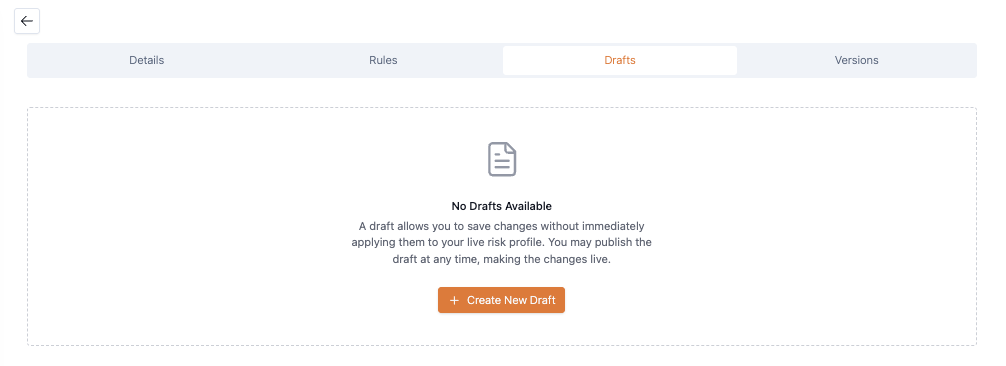
- Add your rules and click Create Draft
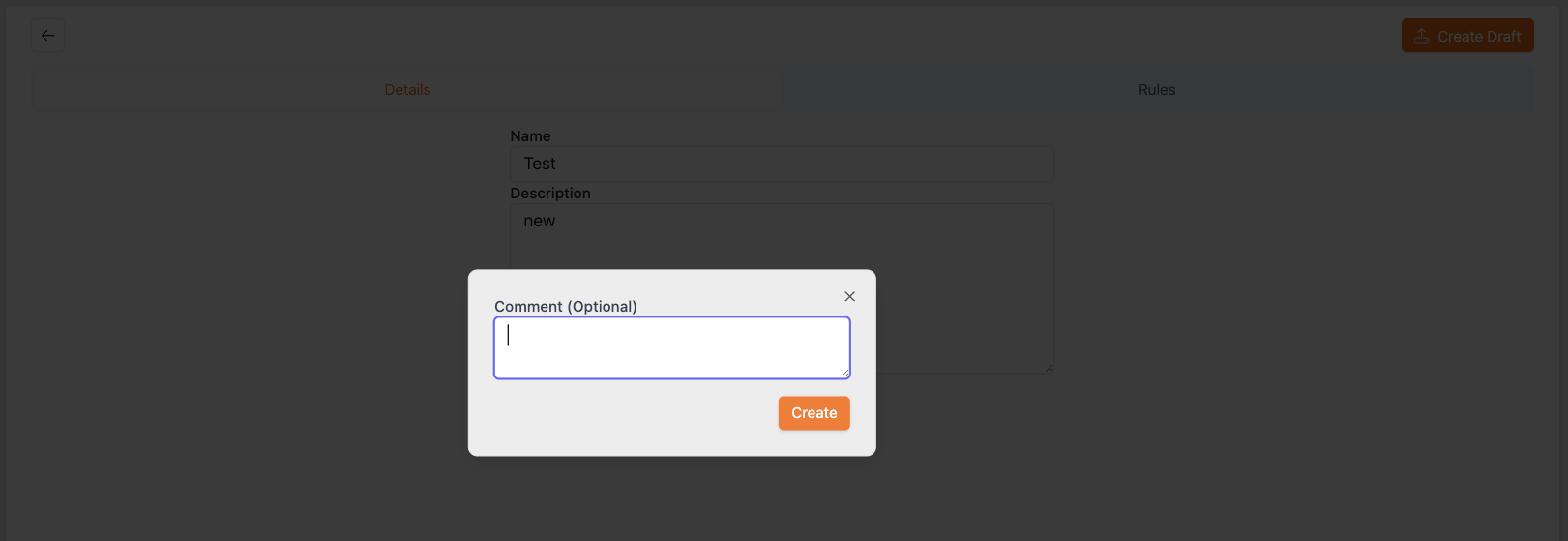
- Optionally add comments describing your changes
Once created, you can manage your draft:
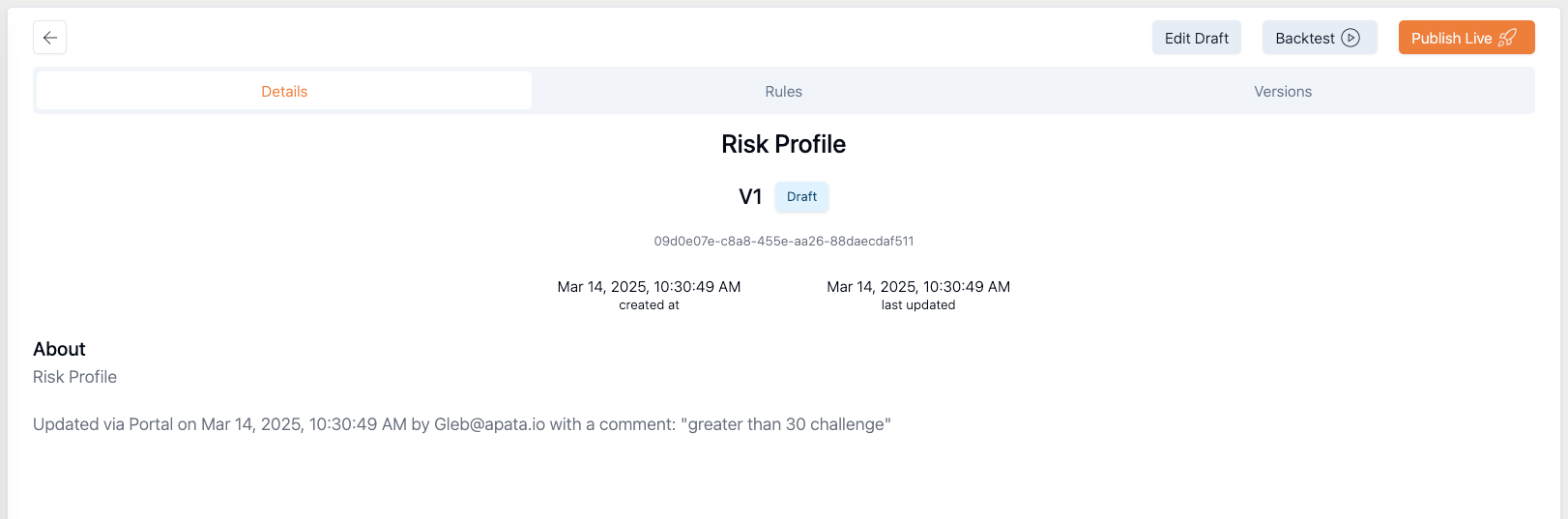
| Action | Description |
|---|---|
| Edit Draft | Modify the current draft |
| Backtest | Run a backtest using the draft configuration |
| Publish Live | Apply changes to the live Risk Profile |
Running a Backtest
- Navigate to Risk Profiles > Drafts
- Select your draft and click Backtest
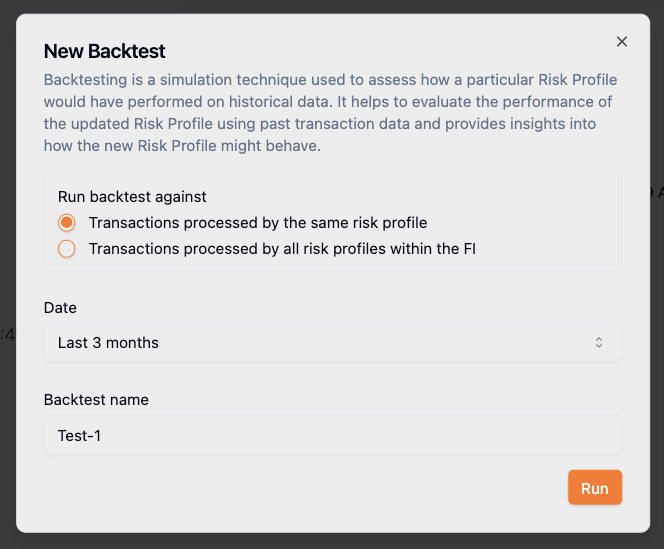
- Configure the backtest:
- Choose scope: transactions from same risk profile or all profiles in the FI
- Select a start date (max 3 months back)
- Provide a name for the backtest
- Click Run
- Ensure Financial Institution level is selected in workspace
- Navigate to Testing > Backtesting
- Click Create New
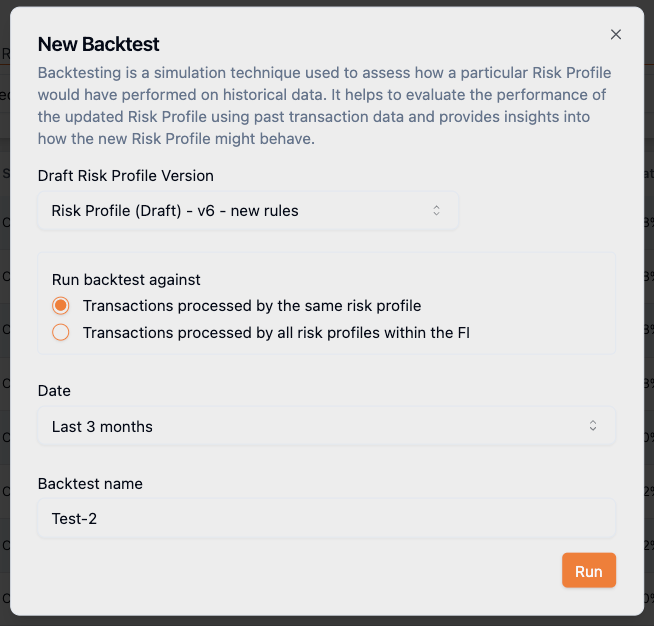
- Configure the backtest:
- Select the Draft Risk Profile Version
- Choose scope: transactions from same risk profile or all profiles in the FI
- Select a start date (max 3 months back)
- Provide a name for the backtest
- Click Run
Backtest Status
Once submitted, the backtest runs in the background. A progress bar shows estimated time remaining.
| Status | Description |
|---|---|
| PENDING | Submitted to queue, awaiting execution |
| IN_PROGRESS | Currently executing |
| COMPLETED | Finished successfully, results available |
| ERROR | Unexpected error occurred-retry or contact support |
Backtests may take from a few minutes to an hour depending on transaction volume.
Understanding Results
Once complete, results are available on the Backtesting page.

Filter results by:
- Risk Profile – Draft version used
- Backtest Name – Name assigned during creation
- Execution Date – When the backtest ran
- Status – Current job status
Overall Results
The Overall Results section displays aggregated outcomes for the entire Risk Profile.
Historical vs Projected
| Term | Description |
|---|---|
| Historical | Data as it existed before running the backtest |
| Projected | Results based on draft rules applied to historical data-what would have occurred if those rules had been in effect |
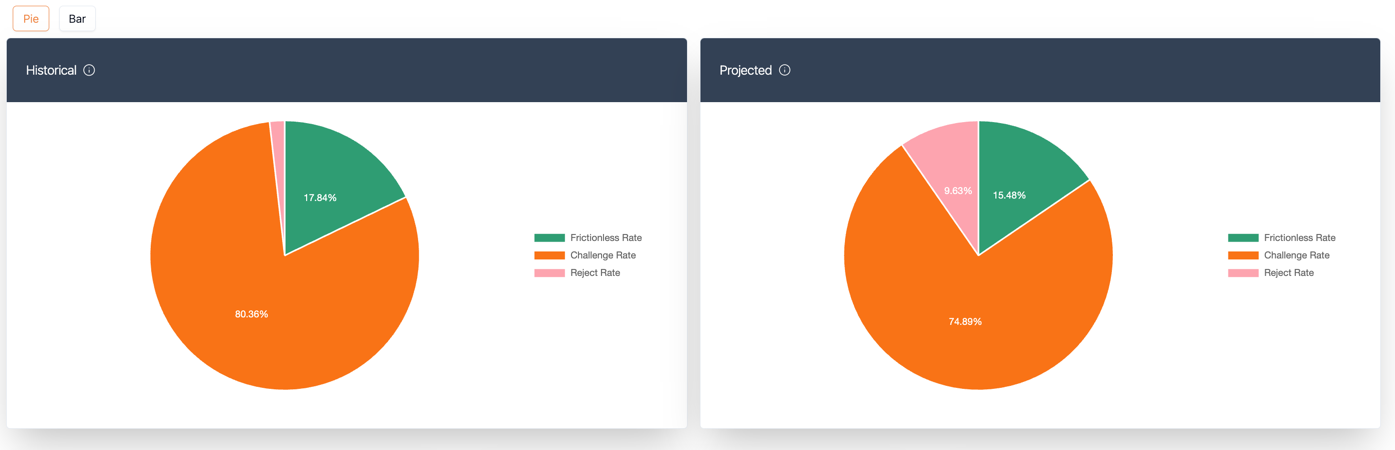
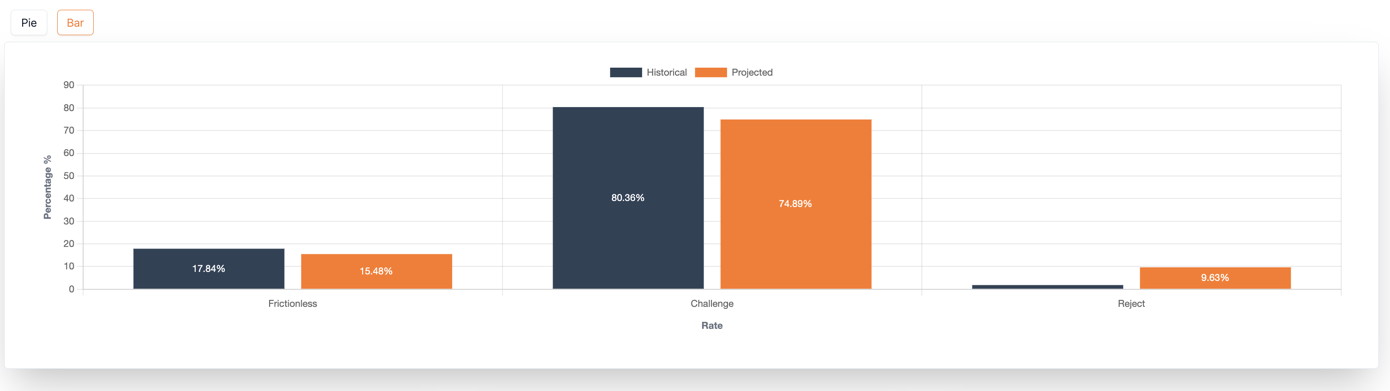
Click the Bar icon to view a stacked chart comparing rates side by side.
Fraud Rates
If your organisation reports fraud to Apata, these metrics are included:
| Fraud Type | Description |
|---|---|
| Confirmed Fraud | Frictionless Transactions reported as fraudulent |
| Apata Prevented Fraud | REJECTED transactions reported as fraudulent |
| Apata Challenged Fraud | Challenged transactions reported as fraudulent |
Breakdown by Metrics
Detailed breakdown of changes in challenge, frictionless, reject, and fraud rates.
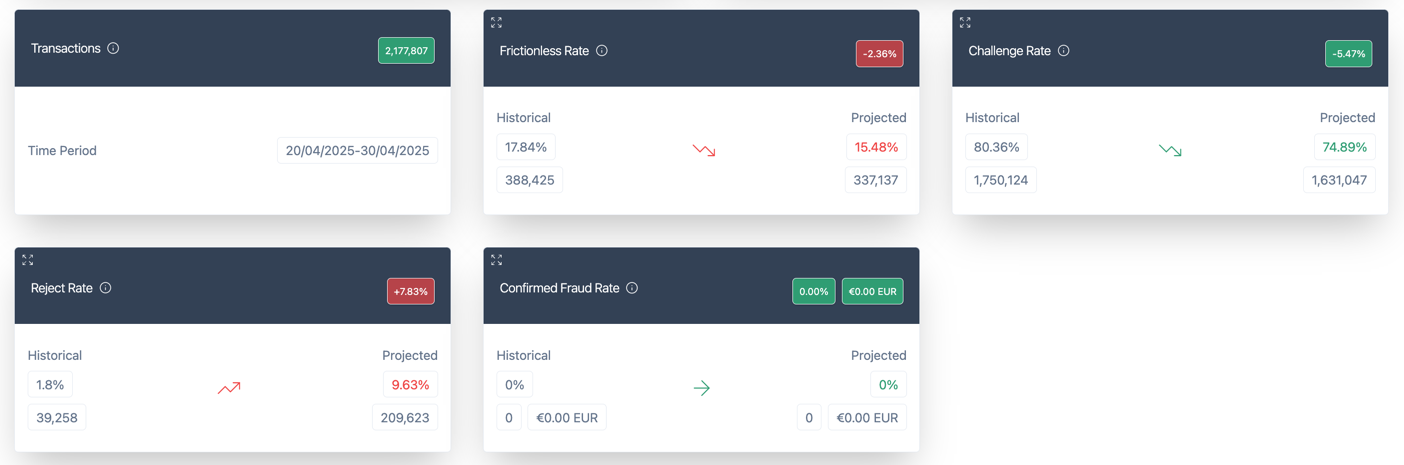
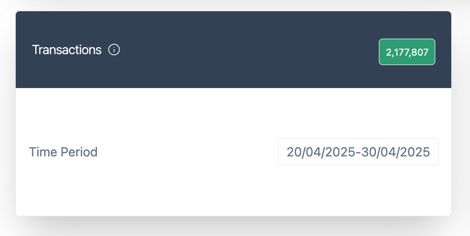
Transaction Information
Shows the number of transactions processed and the time period covered.
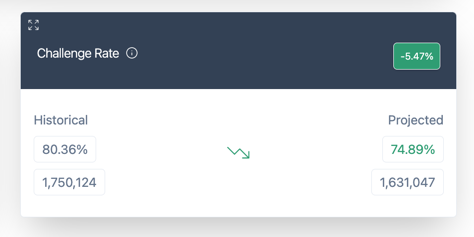
Challenge Rate
Change in Challenge rate between historical and projected data. Percentage difference shown in top right corner.
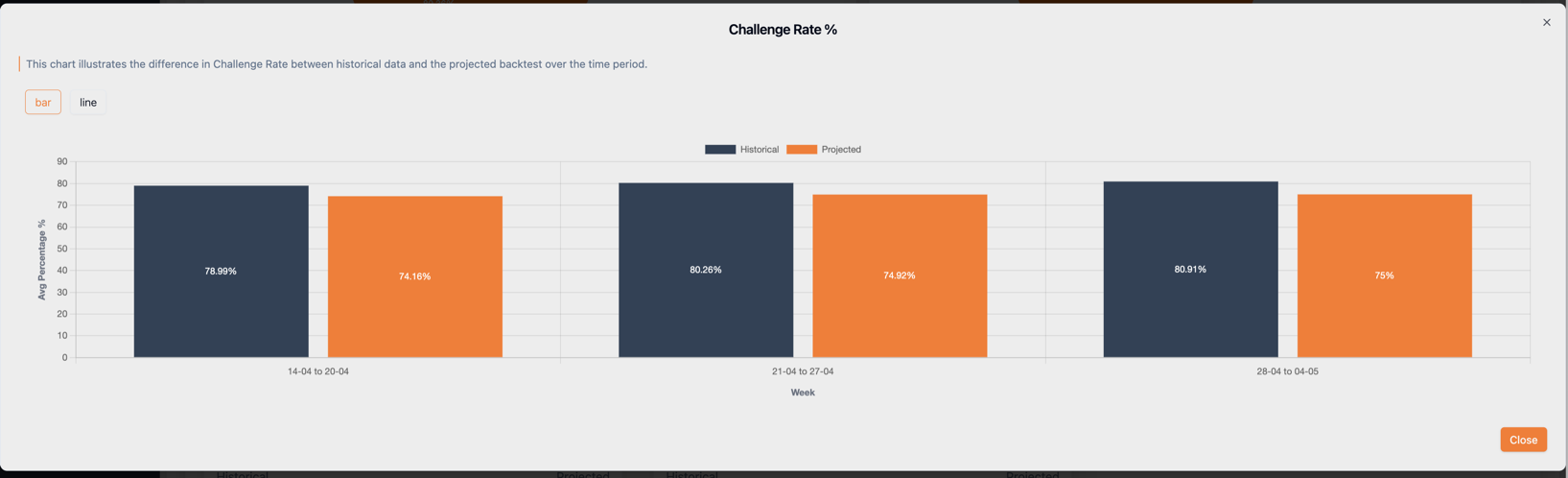
Click Expand to view daily trends:
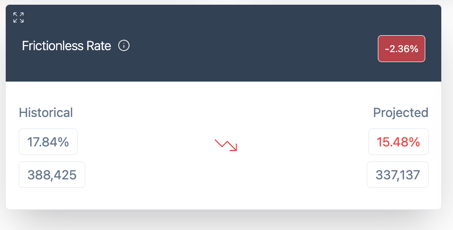
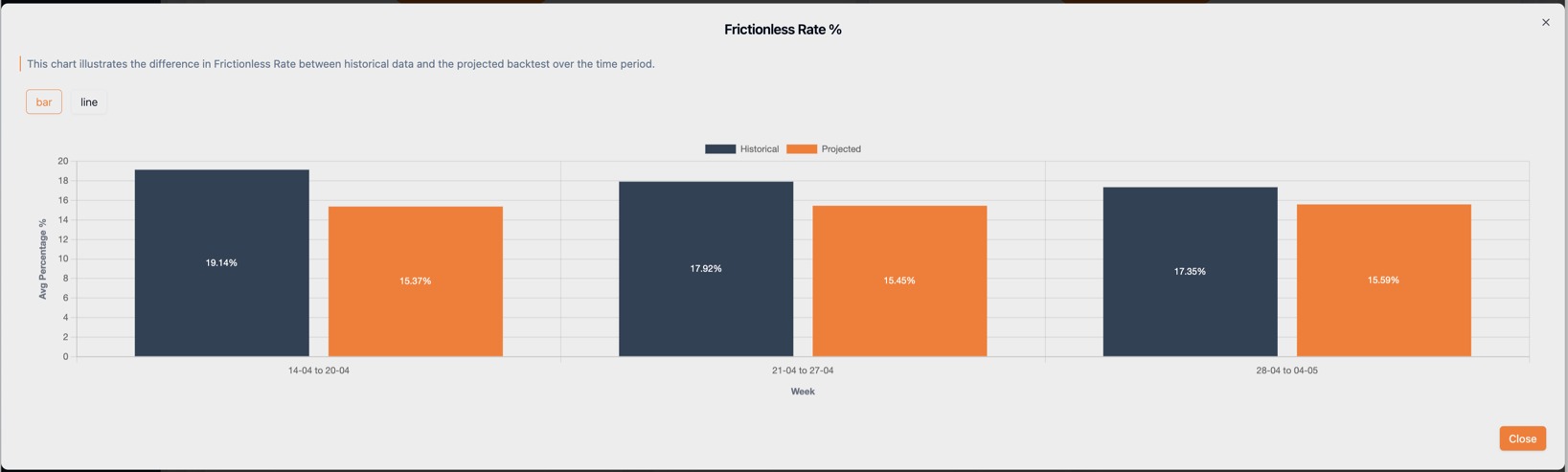
Frictionless Rate
Change in Frictionless Transaction rate between historical and projected data.
Click Expand to view daily trends:
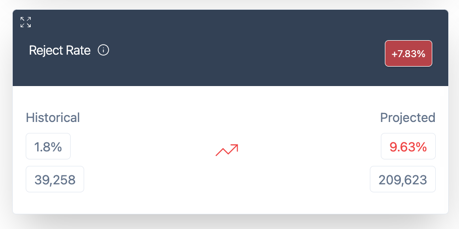
Reject Rate
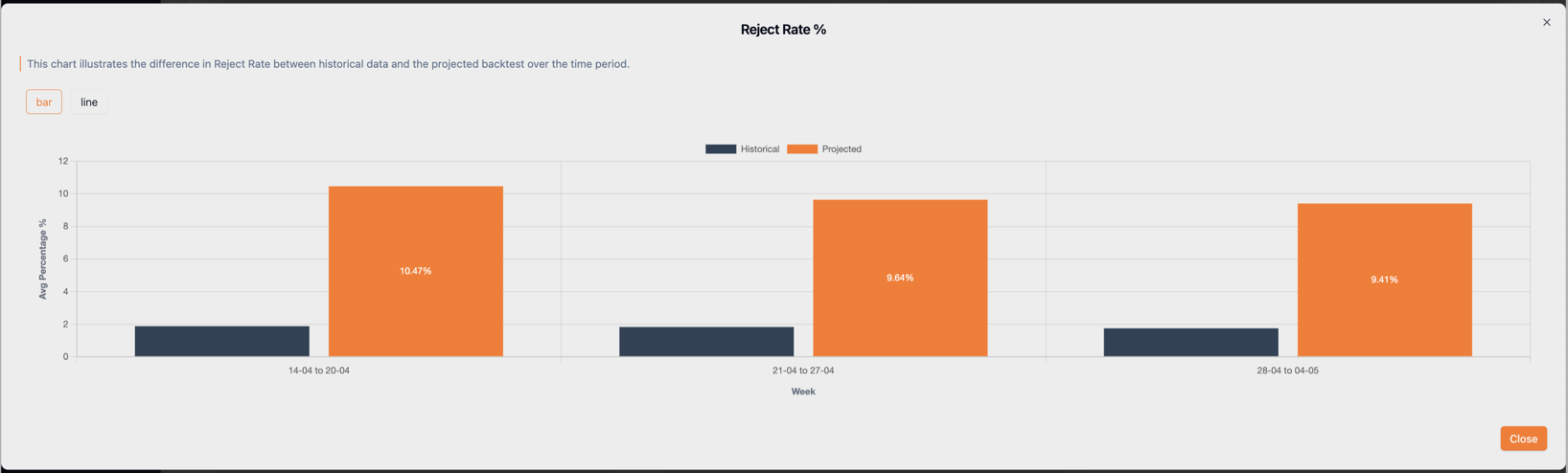
Change in REJECTED rate between historical and projected data.
Click Expand to view daily trends:
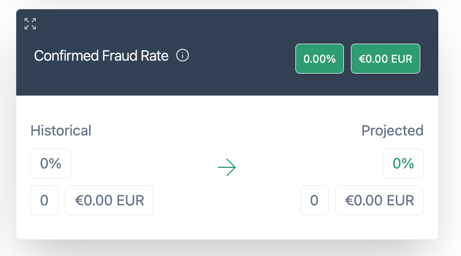
Confirmed Fraud Rate
Change in confirmed fraud rate. Shows percentage difference and monetary amount if fraud is reported.
Breakdown by Risk Rules
Apata provides per-rule performance metrics for modified rules.
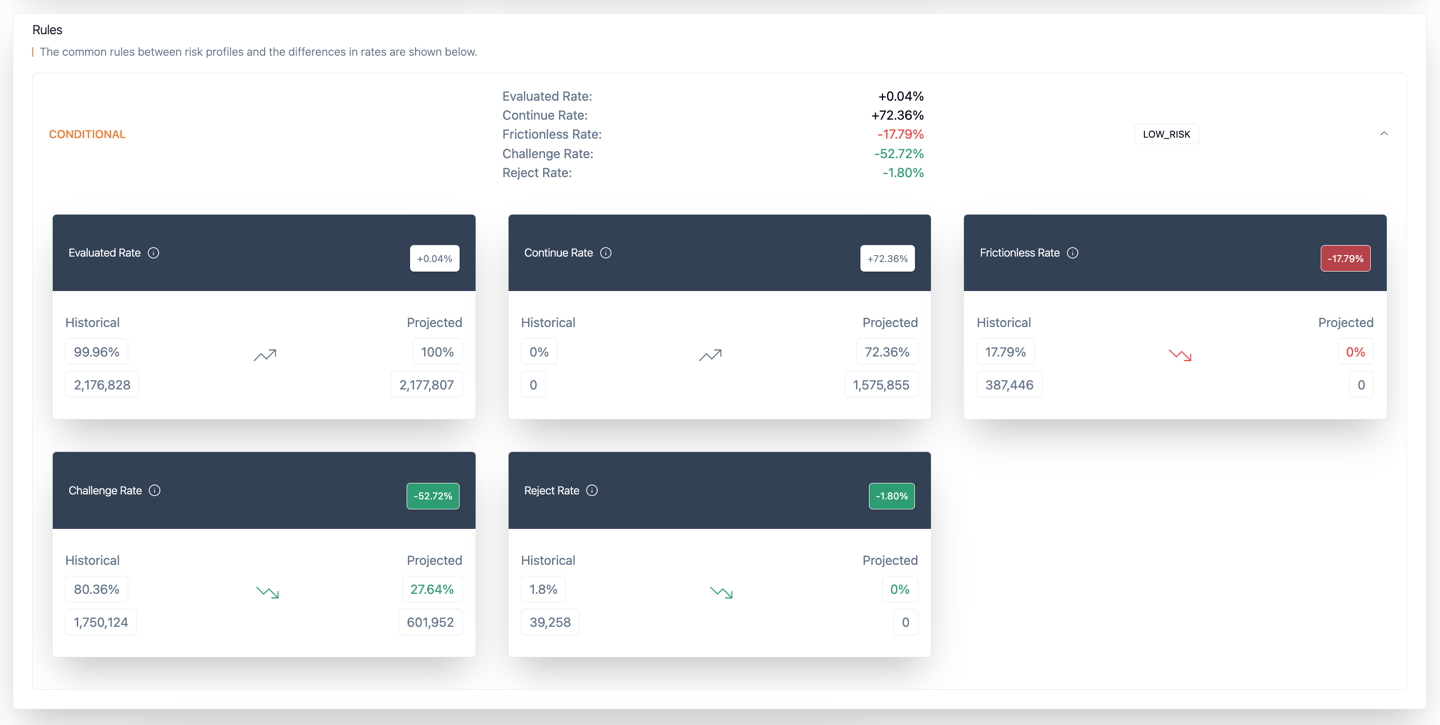
| Metric | Description |
|---|---|
| Evaluated Rate | Transactions evaluated by the rule |
| Continue Rate | Transactions that resulted in "Next" action |
| Frictionless Rate | Transactions processed frictionlessly |
| Challenge Rate | Transactions sent to Challenge |
| Reject Rate | Transactions REJECTED |
Deltas are only shown for modified rules. New rules have no historical version to compare against.
Exporting Results
Click Export Transactions to download a CSV with transaction details and these additional fields:
| Field | Description |
|---|---|
action_historical | Original action: challenged, accepted, or rejected |
action_projected | Projected action under new rules |
reason_historical | Rejection reason (if historically rejected) |
reason_projected | Projected rejection reason |
exemption_historical | Exemption applied (if historically accepted) |
exemption_projected | Projected exemption |
termRuleId_historical | Rule ID that produced original outcome |
termRuleId_projected | Rule ID that would produce projected outcome |
fraudType_historical | Historical fraud classification |
fraudType_projected | Projected fraud classification |
FAQ
What can I test with Backtesting?
You can test how updates affect:
- Challenge Rate
- Frictionless Rate
- Reject Rate
- Confirmed Fraud Rate
- Apata Challenged Fraud Rate
- Apata Prevented Fraud Rate
Can backtest results guarantee future performance?
No. Past performance is not indicative of future outcomes.
Why doesn't the backtest show success, timeout, or cancelled rates?
Backtesting only reflects rule-based outcomes (challenge, accept, reject). It cannot predict cardholder behaviour-whether they would complete, cancel, or timeout.
Why doesn't the backtest show deltas for all my rules?
Deltas require both a previous and updated version of a rule. New rules have no historical version to compare against. Overall risk profile deltas are always provided.
Can I delete or publish a draft?
Yes. Draft risk profiles can be deleted or published once you're satisfied with the backtest results.
Related Topics
- Risk Profile – Configure rules for transaction outcomes
- Risk Rule – Individual conditions within a Risk Profile
- Draft – Save changes without applying to live traffic
Updated 6 months ago