
Challenge Profiles
Challenge Profiles combine multiple Challenge Methods into a layered authentication strategy. They enable fallback options, cardholder choice, and multi-factor authentication to meet SCA requirements while optimizing user experience.
Combine methods like SMS OTP + Static Password for SCA compliance.
Automatically switch to alternative methods when primary authentication fails.
Let cardholders select their preferred authentication method.
Profile Settings
Name & Alias
| Field | Required | Description |
|---|---|---|
| Name | Yes | User-friendly identifier for the profile |
| Alias | Yes | Unique identifier (alphanumeric, dashes, underscores). Cannot be changed after creation. Used to reference the profile in Card Programs. |
| Description | No | Optional details about the profile |
Allow Fallback
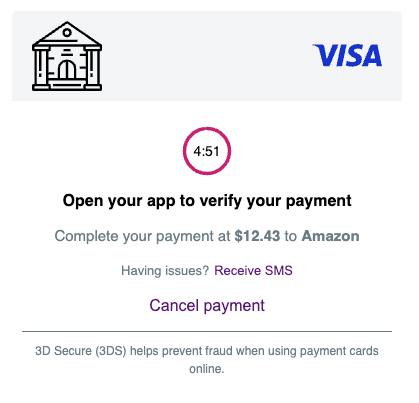
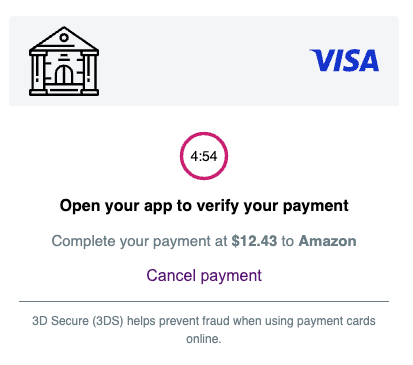
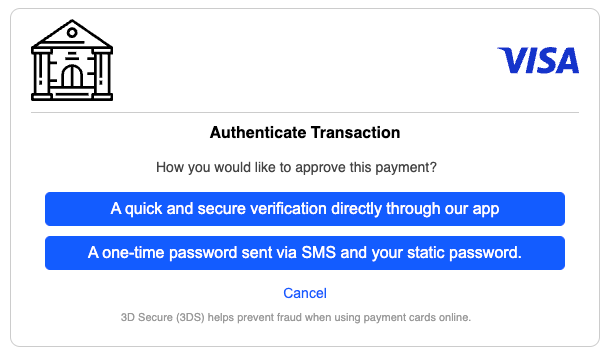
When enabled, a button appears on the Challenge Interface allowing cardholders to switch to an alternative Challenge Method.
Enabled:
Disabled:
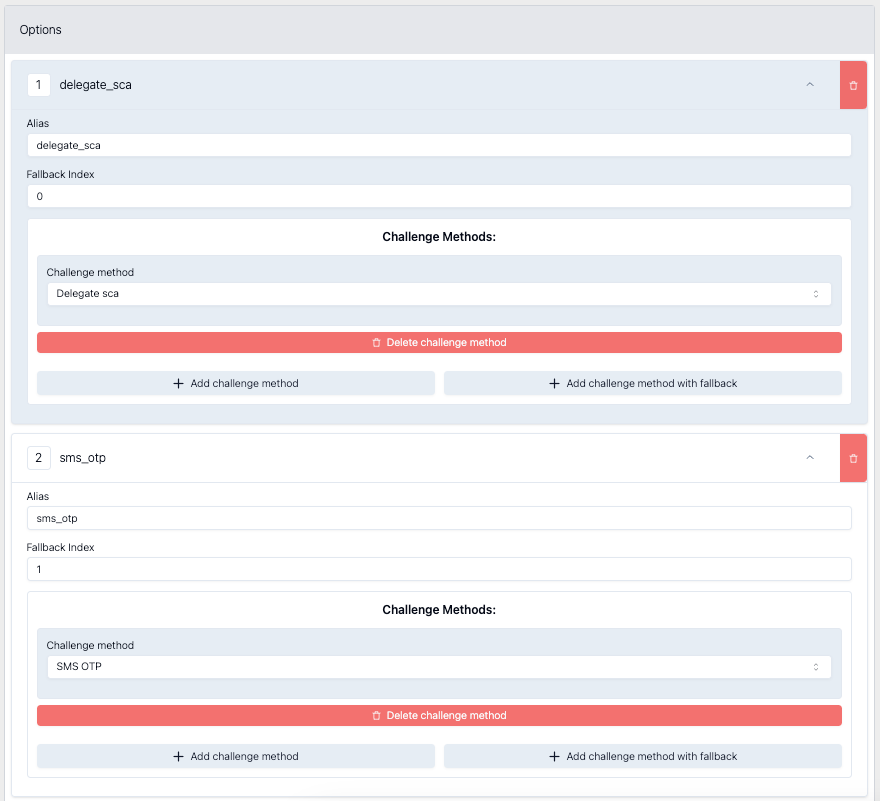
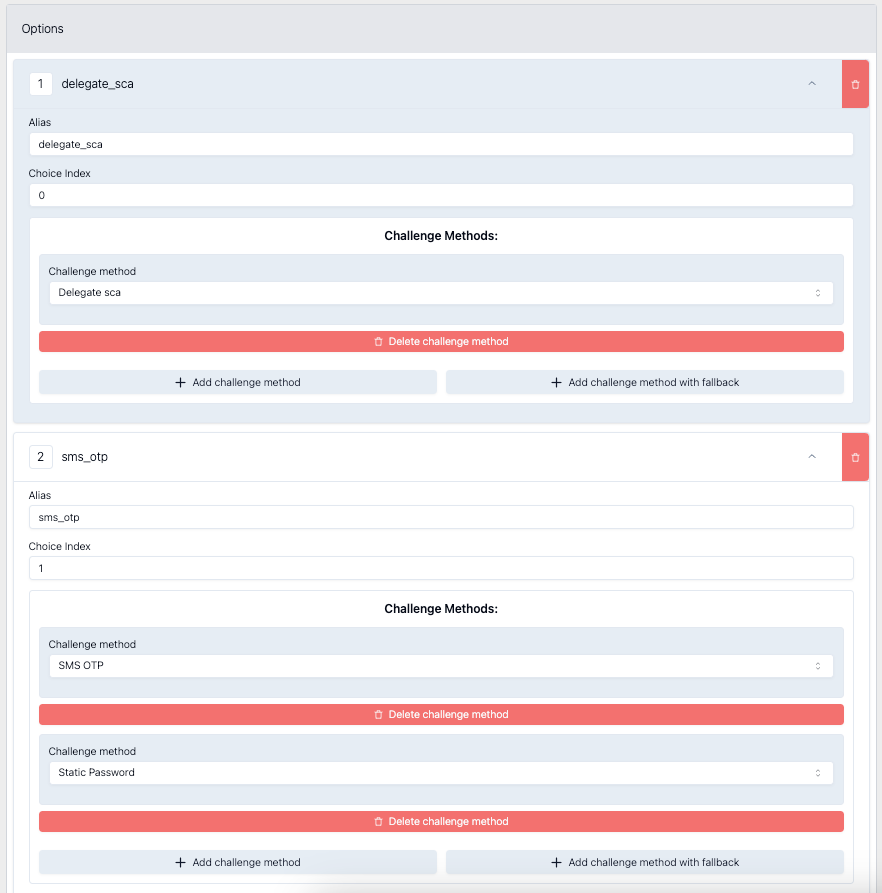
When a cardholder clicks the fallback button, Apata transitions to the next method based on the Fallback Index. For example:
- Fallback Index 0: Delegate SCA
- Fallback Index 1: SMS OTP
If Delegate SCA fails, the system moves from index 0 to index 1.
Challenge Method Options
Options define which method(s) are used for authentication. Each option can contain one or multiple methods.
A profile with one option containing one method:
Option 1: Delegate SCANo choice screen or fallback available-cardholder authenticates with this single method.
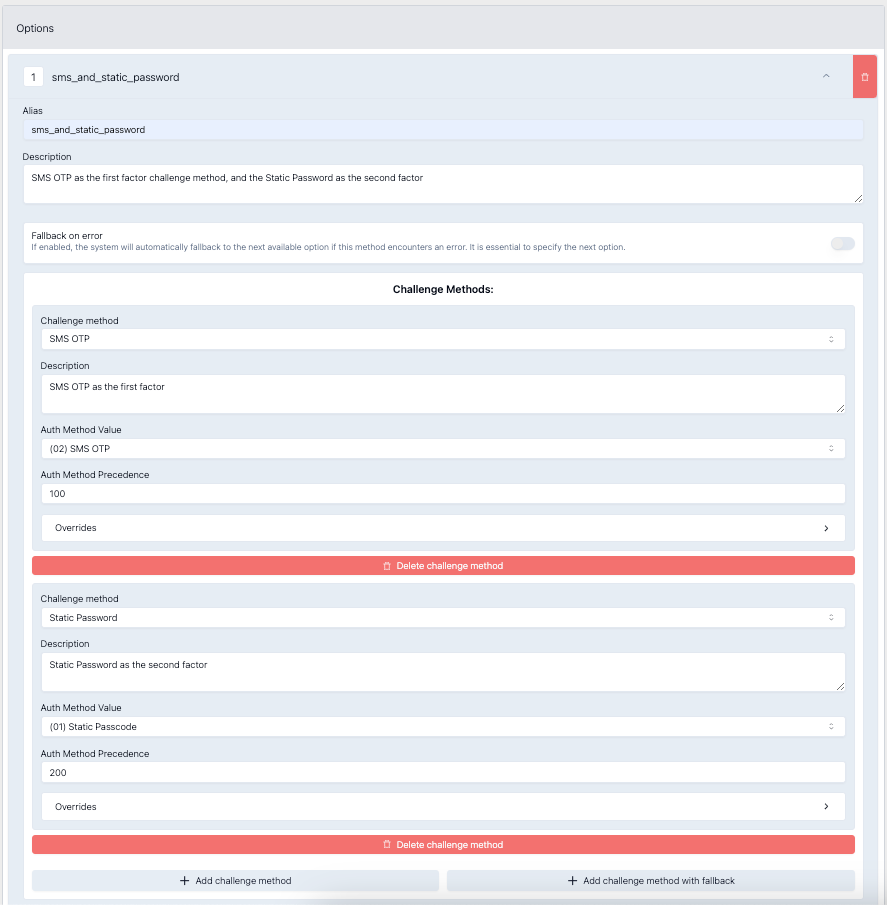
A profile with one option containing two methods (for SCA compliance):
Option 1: SMS OTP + Static PasswordCardholder completes both methods sequentially.
A profile with two options enables fallback or choice:
Option 1: Delegate SCA
Option 2: SMS OTP + Static Password
Can be configured for:
- Automatic fallback from Option 1 to Option 2 on error
- Cardholder choice between options
Option Configuration
Basic Settings
| Field | Description |
|---|---|
| Alias | Unique identifier for the option (cannot be changed after creation) |
| Description | Optional details, e.g., "In-app notification" or "SMS OTP followed by Static Password" |
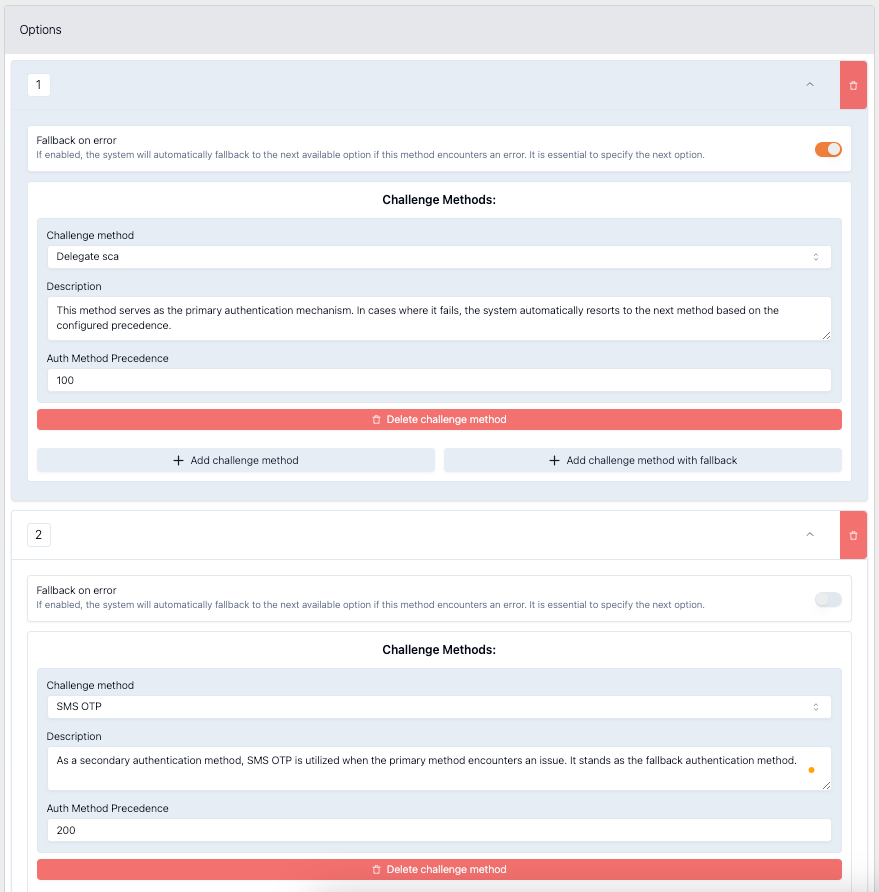
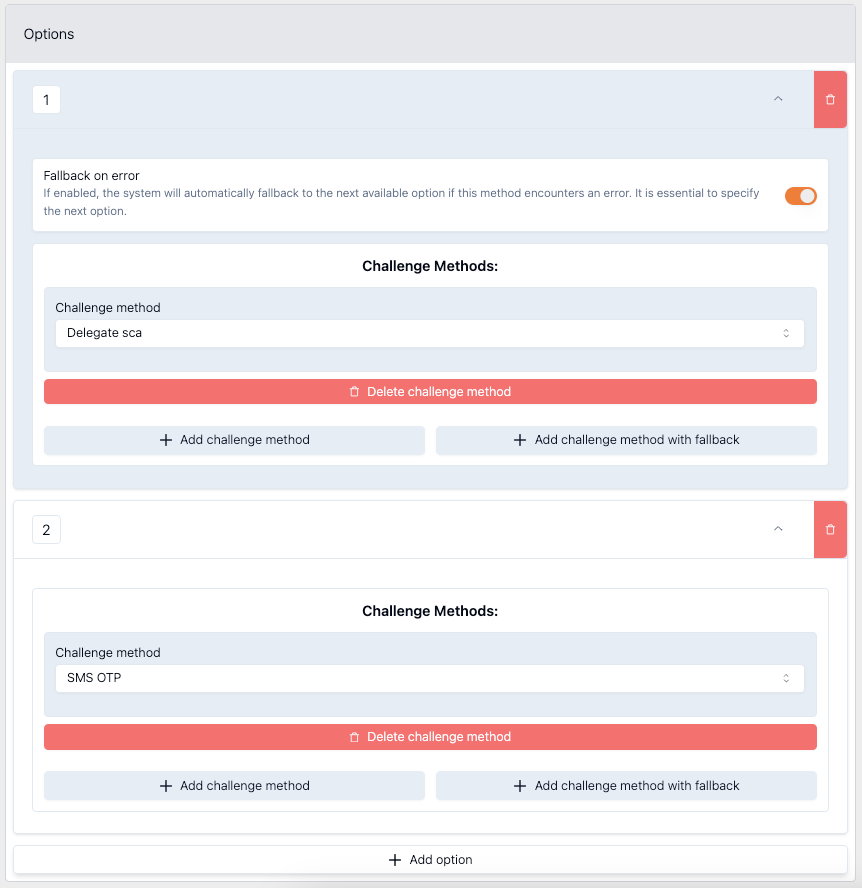
Fallback on Error
When enabled, the system automatically transitions to the next option if the current method encounters an error.
Example: If Delegate SCA fails, automatically prompt with SMS OTP:
Challenge Method Selection
| Field | Description |
|---|---|
| Challenge Method | Select the method from dropdown (SMS OTP, Email OTP, OOB, etc.) |
| Auth Method Value | Default authentication method reported to payment schemes |
| Auth Method Precedence | Numeric value determining reporting priority (lower = higher priority) |
| Overrides | Customise auth method value based on Protocol Version |
Auth Method Precedence
When multiple methods are used, 3DS requires reporting a single authentication method. Precedence determines which method is reported.
Example:
- Delegate SCA: Precedence 100
- SMS OTP: Precedence 200
If Delegate SCA succeeds → report Delegate SCA
If Delegate SCA fails and SMS OTP succeeds → report SMS OTP
Use any numbers-only the relative order matters.
Adding Multiple Challenge Methods
PSD2 requires SCA with at least two authentication factors. To add a second method:
- Click Add challenge method
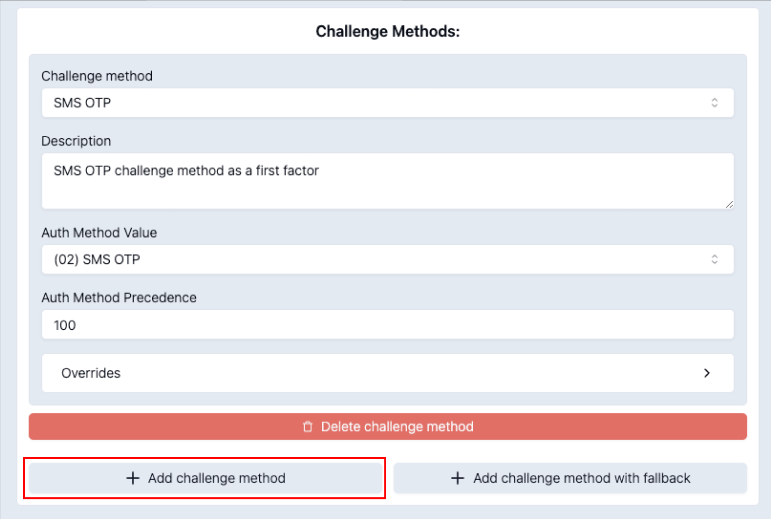
- Configure the second method
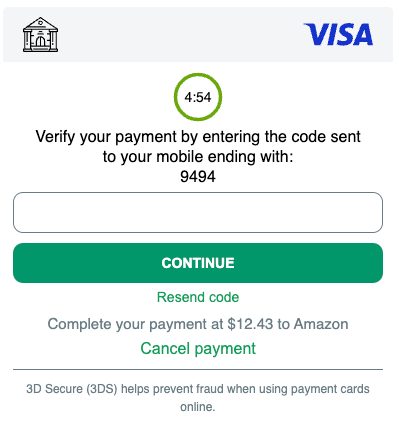
Authentication flow:
First, cardholder completes SMS OTP:
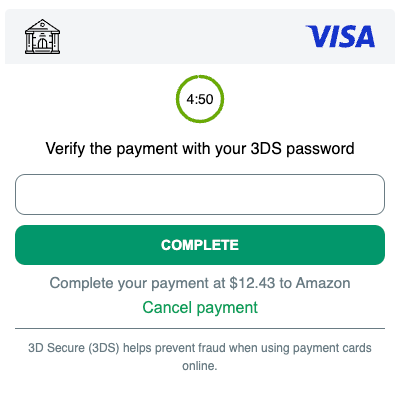
Then, cardholder completes Static Password:
Secondary Method Fallback
Configure fallback when a second-factor method fails (not the primary method).
Example scenario:
- First factor: SMS OTP
- Second factor: Behavioural Biometrics
- Fallback second factor: KBA (Transaction History)
If Behavioural Biometrics fails (unsupported in app, JavaScript disabled, insufficient data), fall back to KBA.
To configure:
- Click Add challenge method with fallback
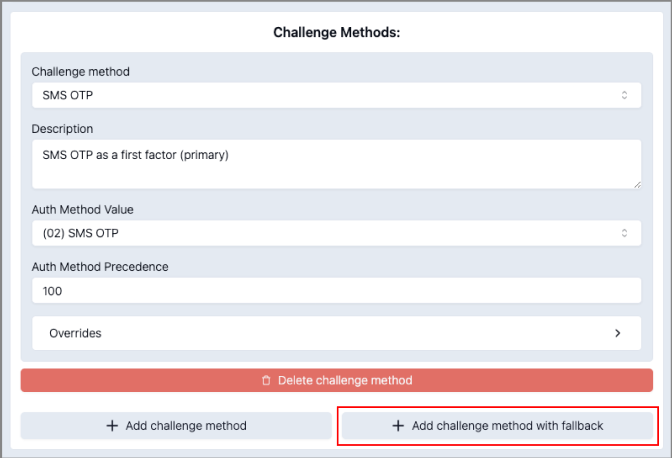
- Configure the fallback chain
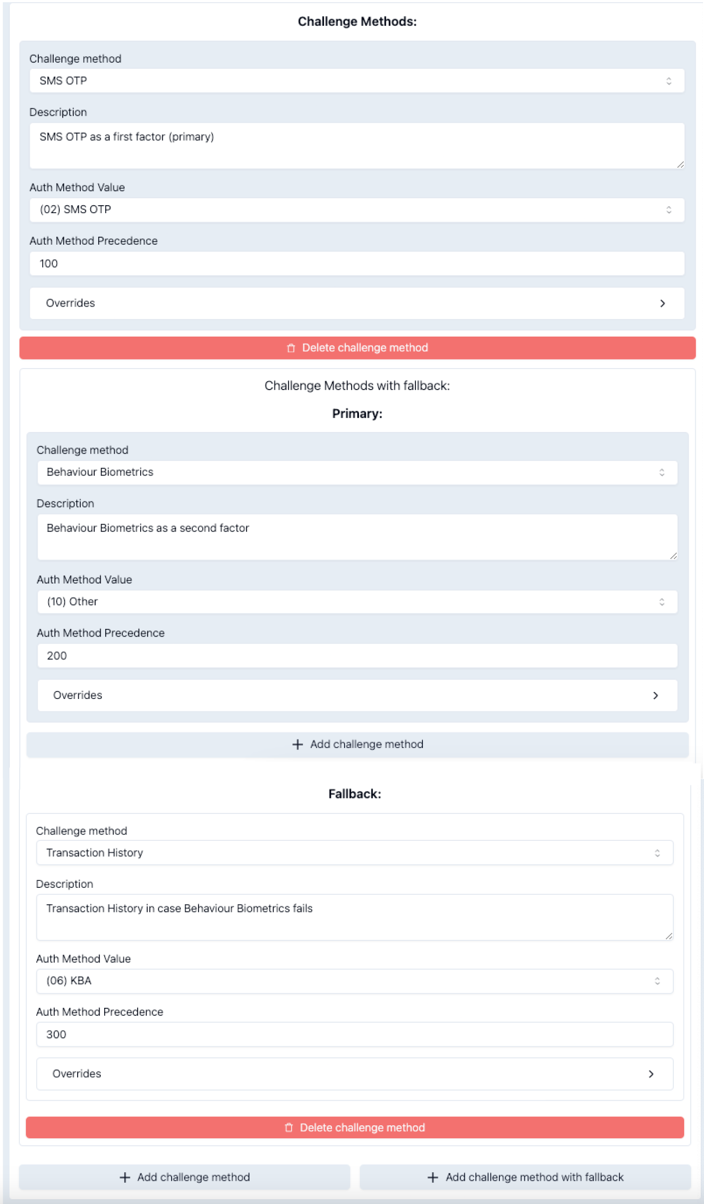
Flow:
SMS OTP (1st factor)
    ↓ success
Behavioural Biometrics (2nd factor)
    ↓ failure
KBA / Transaction History (fallback 2nd factor)
Example Configurations
Simple: Single OOB Method
Profile: OOB Only
└── Option 1: Delegate SCA (OOB)
Cardholder authenticates via banking app push notification.
Two-Factor: SMS + Password
Profile: SMS + Password
└── Option 1: SMS OTP + Static Password
Cardholder receives OTP via SMS, then enters their password.
Choice: OOB or SMS+Password
Profile: Choice Enabled
├── Option 1: Delegate SCA (OOB)
└── Option 2: SMS OTP + Static Password

Settings: Allow Choice = true
Cardholder chooses between app authentication or SMS + password.
Fallback: OOB → SMS+Biometrics
Profile: OOB with Fallback
├── Option 1: Delegate SCA (OOB)
└── Option 2: SMS OTP + Behavioural Biometrics

Settings: Fallback on Error = true
If OOB fails, automatically fall back to SMS + biometrics.
Related Topics
- Challenge Method – Individual authentication methods
- Challenge Interface – Customise the authentication UI
- SCA – Strong Customer Authentication requirements
- Card Program – Assign Challenge Profiles to card segments
Updated 7 months ago