
Finalised Event
The Finalised Event is a webhook notification sent to the issuer after the 3DS authentication flow completes, providing the final state of the transaction.
Near Real-time Notification
Receive immediate updates when transactions complete, fail, or error.
Complete Transaction Data
Access full transaction details including device info, risk decisions, and challenge results.
Webhook Integration
Connects to your existing systems via configurable Webhook.
Prerequisites
Before configuring the Finalised Event, you must create a Webhook. See Webhooks Guide for setup instructions.
Creating a Finalised Event Setting
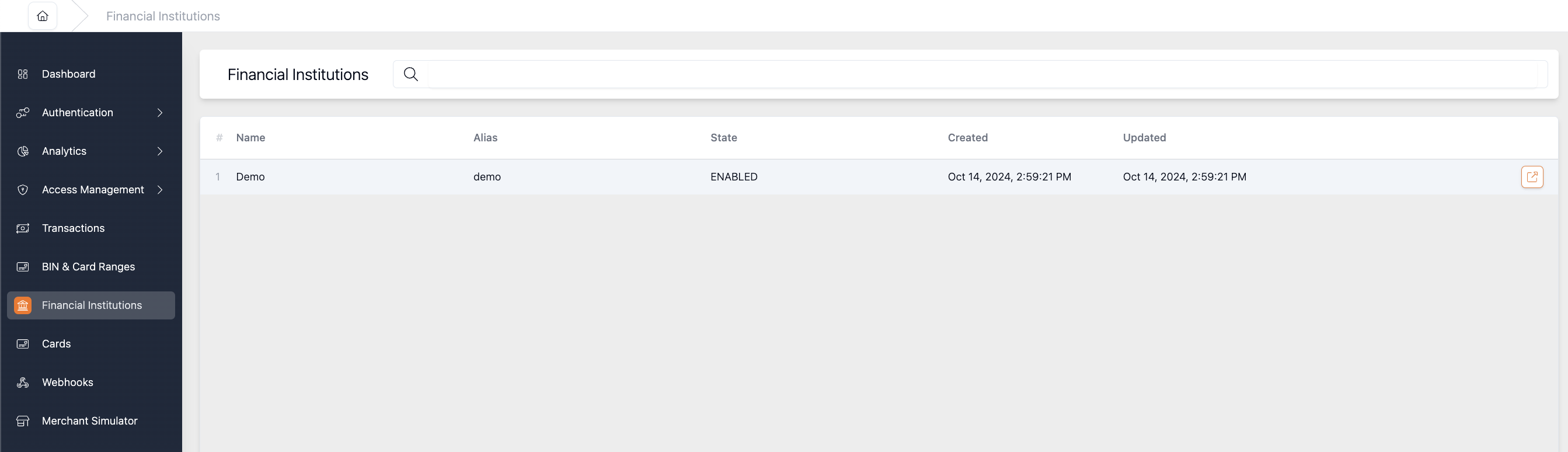
- Navigate to Financial Institutions and select the FI you want to configure
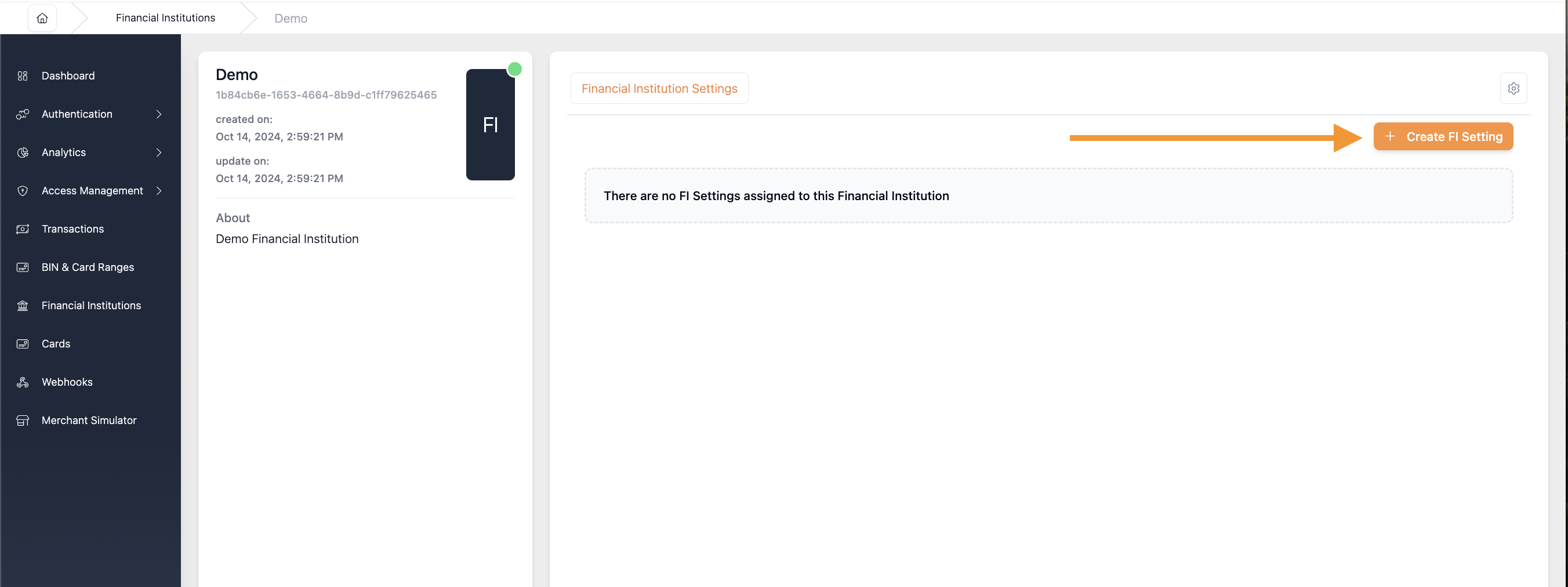
- Click Create FI Setting
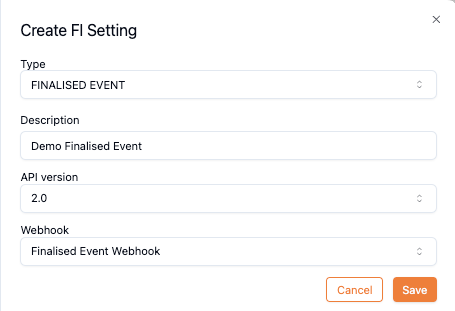
- Complete the form:
| Field | Description |
|---|---|
| Type | Select FINALISED EVENT (or FINALISED EVENT TEST TRANSACTION for Merchant Simulator) |
| Description | Optional description |
| API Version | Select the Finalised Event API version |
| Webhook | Select your previously configured Webhook |
- Click Save
Finalised Event Payload
See the payload structure here Finalised Event Payload
Related Topics
- Webhook – Configure the HTTP connection
- Transaction States – Understanding transaction outcomes
- Risk Profile – Rules that determine transaction outcomes
- Merchant Simulator – Test finalised events with simulated transactions
Updated 6 months ago
Did this page help you?