
Count Aggregation
The Count aggregation tallies the number of transactions, days, or events that meet specific criteria within a defined timeframe. Use it to monitor activity patterns like transaction frequency, failed attempts, or merchant-specific events.
Track how many transactions occur in a period.
Count days since last challenge or frictionless transaction.
Monitor repeated failed attempts indicating fraud.
Configuration
Filter (Optional)
Narrow the count to specific conditions:
- Transaction status (Succeeded, Failed, etc.)
- Merchant name or ID
- Device IP or ID
- Amount thresholds
See Filter Options for full list.
Timeframe
| Timeframe | Values |
|---|---|
| Hour | 1–24 |
| Day | 1–365 |
| Week | 1–52 |
| Month | 1–12 |
| Since Last Challenged | N/A |
| Since Last Frictionless | N/A |
Variable Name
Unique identifier for the variable (e.g., successfulAuth24h, daysSinceChallenge).
Using Count in Rules
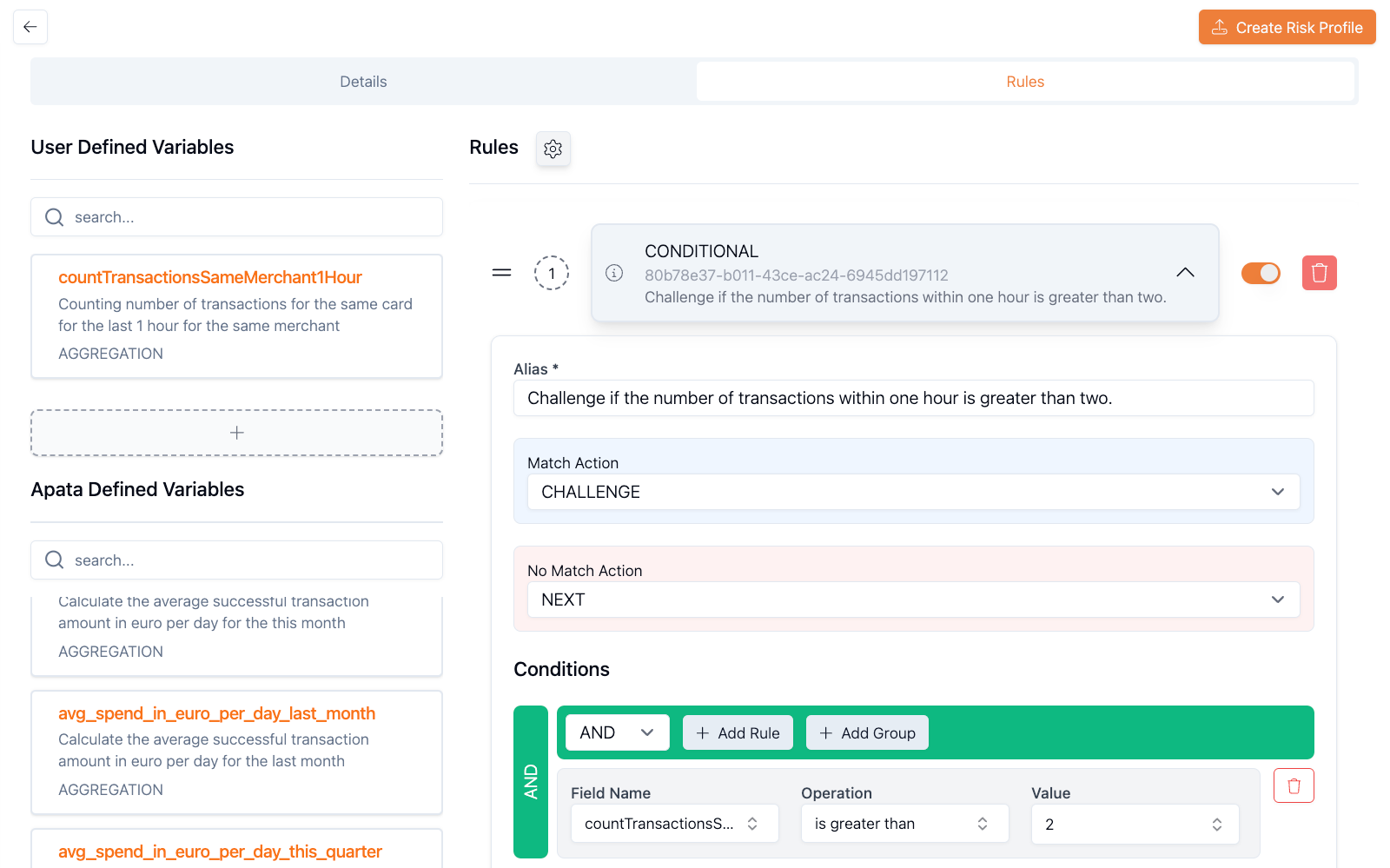
successfulAuth24h > 10 → Challenge
failedAuth24h > 5 → Reject
daysSinceChallenge > 3 → Challenge
transactionCount > successfulAuth24h → ChallengeExamples
Frictionless Transactions in 24 Hours
Detect rapid transaction activity.
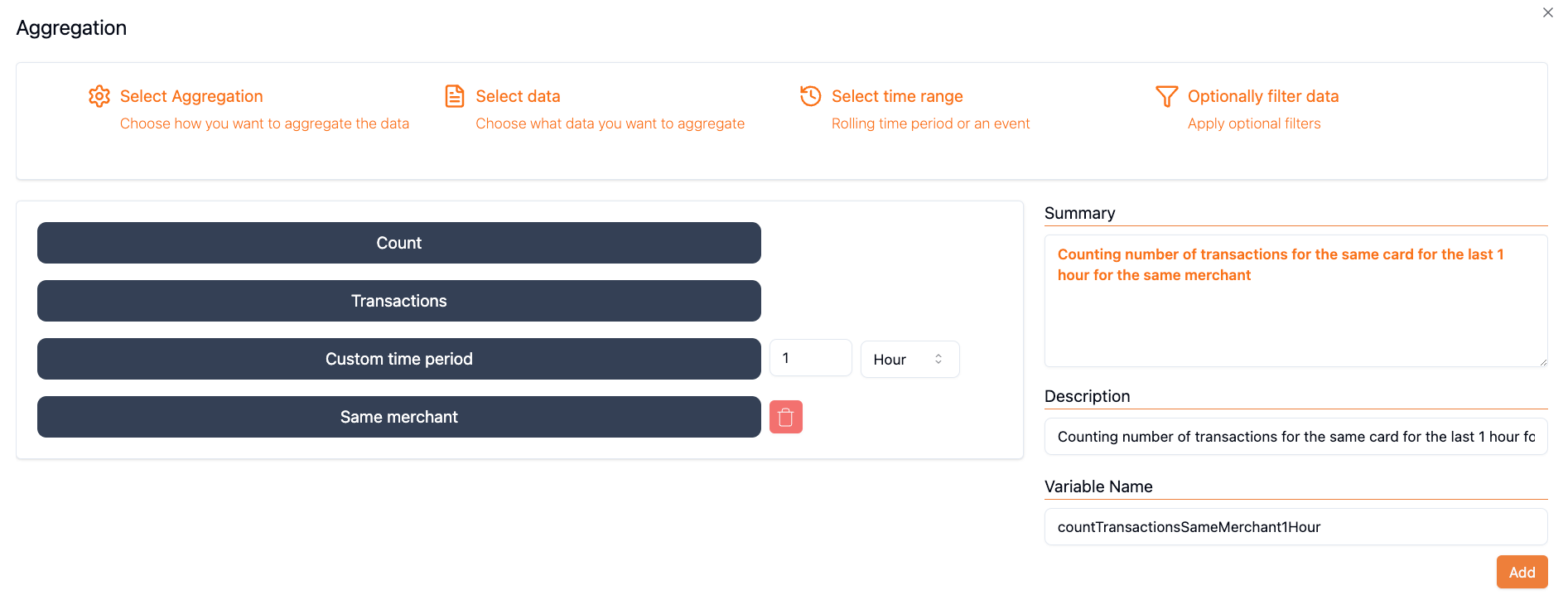
Type: Count
Parameter: Transactions
Filter: Was Challenged = false
Timeframe: 24 hours
Variable Name: successfulAuth24h
Rule: successfulAuth24h > 10 → Challenge
Failed Attempts by Device IP
Monitor repeated failed attempts from specific IPs.
Type: Count
Parameter: Transactions
Filter:
  - Transaction Status != Succeeded
  - Device IP = Equals to Current
Timeframe: 24 hours
Variable Name: failedAuth24hByIP
Rule: failedAuth24hByIP > 5 → Challenge
Merchant-Specific Transactions
Track concentrated activity at a merchant.
Type: Count
Parameter: Transactions
Filter:
  - Merchant Name = Equals to Current
  - Transaction Status = Succeeded
Timeframe: 24 hours
Variable Name: merchantSuccess24h
Rule: merchantSuccess24h > 15 → Challenge
Failed Device Attempts
Identify brute-force attacks from the same device.
Type: Count
Parameter: Transactions
Filter:
  - Computed Device ID = Equals to Current
  - Transaction Status != Succeeded
Timeframe: 24 hours
Variable Name: deviceFailed24h
Rule: deviceFailed24h > 3 → Challenge
Days Since Last Challenge
Track time since last challenged transaction.
Type: Count
Parameter: Days
Filter: None
Timeframe: Since Last Challenged
Variable Name: daysSinceChallenge
Rule: daysSinceChallenge > 3 → Challenge
How It Works
sequenceDiagram
    participant Card
    participant Aggregation as Aggregation Engine
    participant Rule as Conditional Rule

    Note over Card,Rule: 4-hour window (10:00–14:00)

    Card->>Aggregation: Transaction 1 (10:00)
    Aggregation-->>Aggregation: transactionCount4h = 0
    Aggregation->>Rule: count > 3? (No, accept)

    Card->>Aggregation: Transaction 2 (10:30)
    Aggregation-->>Aggregation: transactionCount4h = 1
    Aggregation->>Rule: count > 3? (No, accept)

    Card->>Aggregation: Transaction 5 (13:00)
    Aggregation-->>Aggregation: transactionCount4h = 4
    Aggregation->>Rule: count > 3? (Yes, challenge)
The variable reflects historical transactions in the window, starting at 0 for the first transaction and incrementing based on prior transactions.
Getting Started
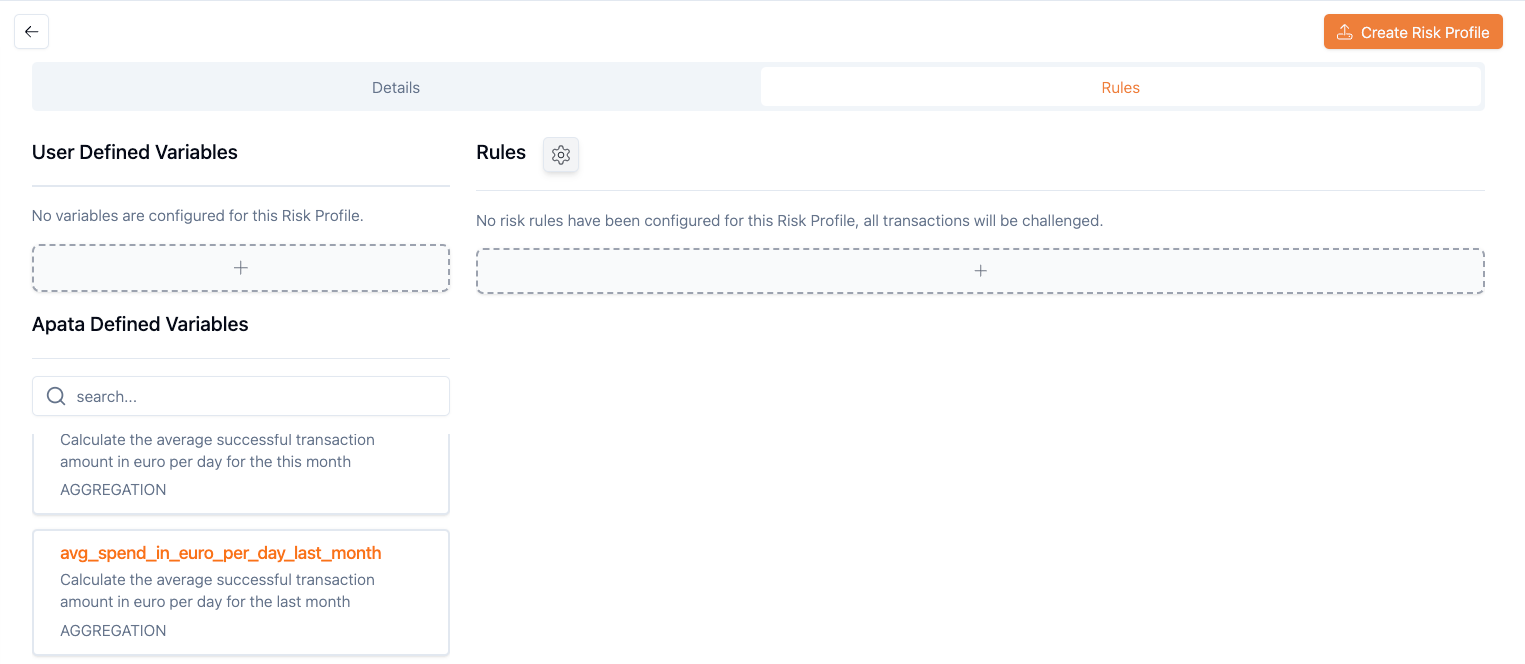
- Navigate to Risk Profiles → select or create a profile
-
Click + under "User Defined Variables"
-
Select Count aggregation type
-
Configure Parameter, Filter, Timeframe, and Variable Name
- Use in a Conditional Rule
Related Aggregations
- Sum – Total transaction amounts
- Average – Mean transaction values
- Standard Deviation – Measure variability
Updated 6 months ago