There are three types of filters available:
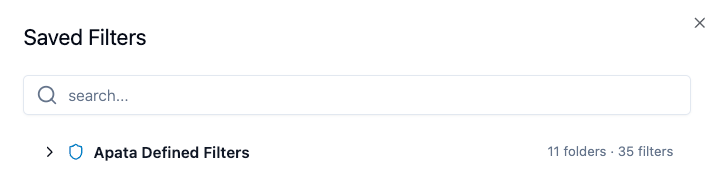
- Predefined filters – Provided by Apata. Ready-to-use filters that everyone can apply but no one can edit or delete.
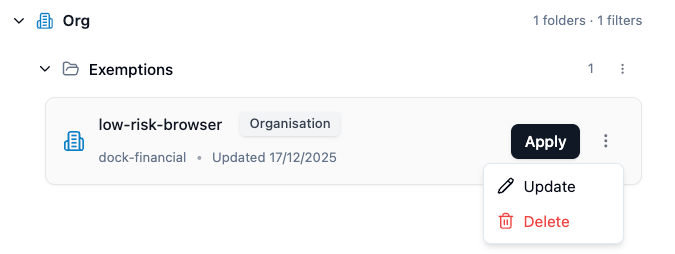
- Organisation filters – Saved at the Organisation level. Visible to users across all Financial Institutions in your organisation.
- FI filters – Saved at your specific Financial Institution level. Only visible to users with access to that FI.
| Filter Type | Visible To |
|---|
| Predefined | All users |
| Organisation | Users in any Financial Institution within the Organisation |
| FI | Only users with access to that specific Financial Institution |
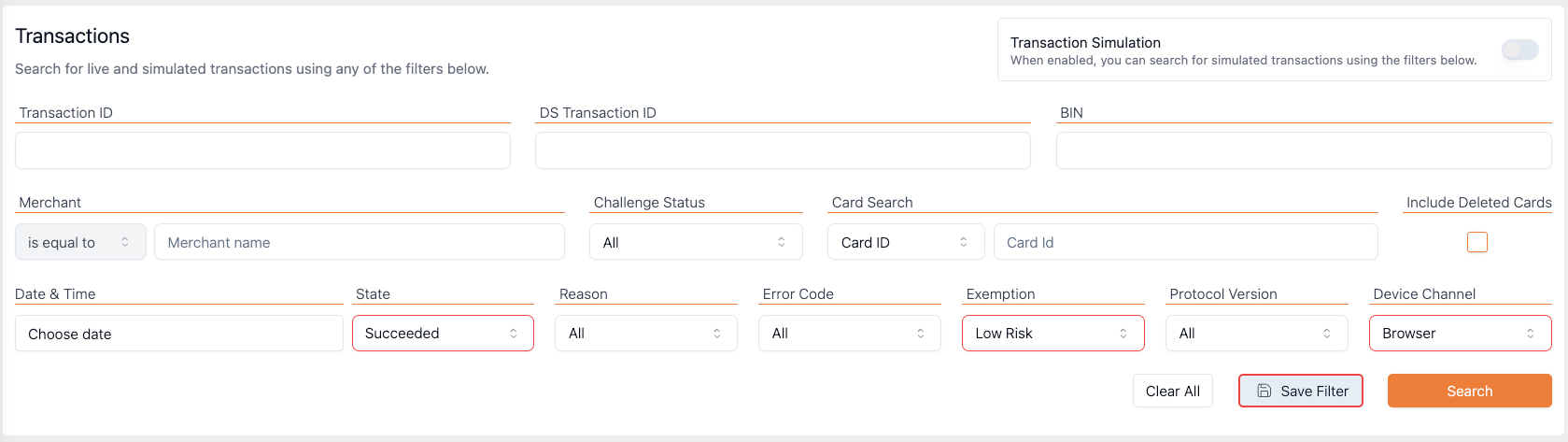
- Apply the filters you want on the transactions page.
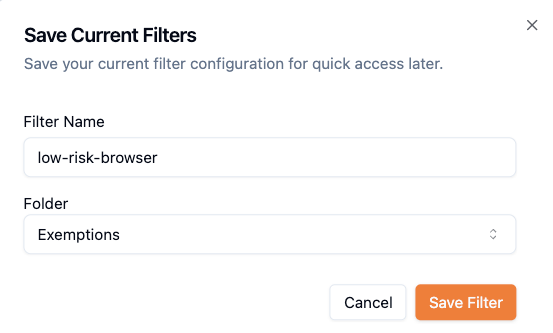
- Click Save Filter.
- Give your filter a clear name (e.g.
low-risk-browser).
- Choose an existing folder or create a new one.
- Confirm to save.
📘
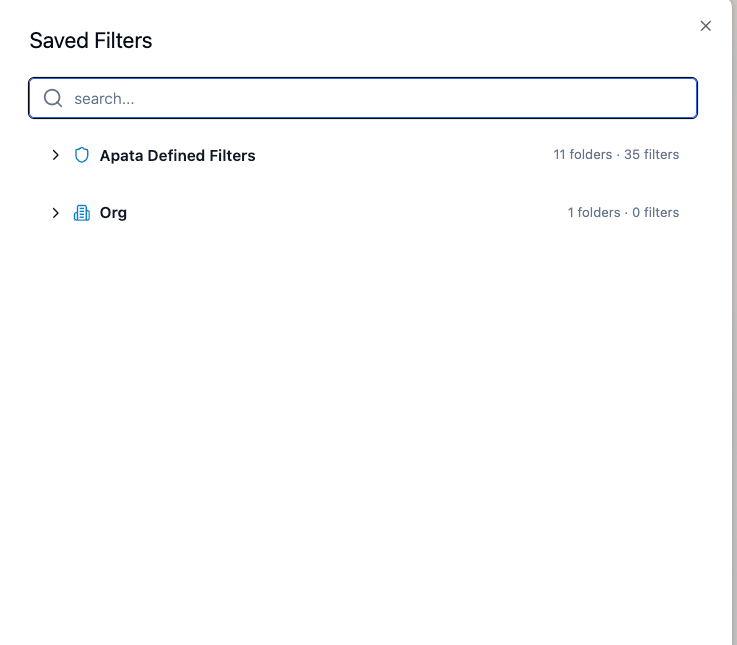
- Click on Saved Filters in the transactions page.
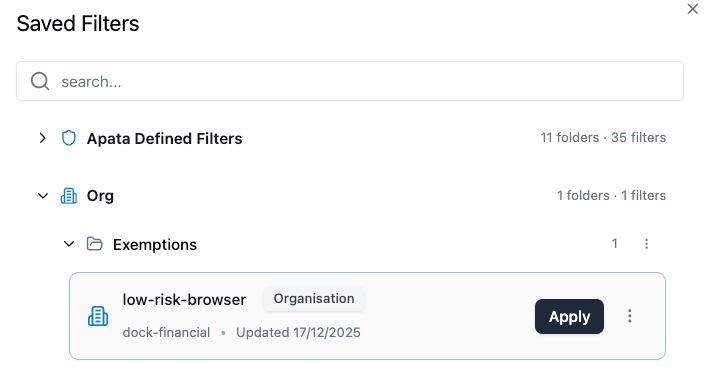
- Browse or use the search box to find the filter you want.
-
- Click the filter name to apply it - the transaction list updates immediately.
You can also apply a filter directly via URL:
https://portal.apata.io/app/transactions-anatomy?filterId=FILTER_ID
Editing: You can update the name or criteria of filters that belong to your current level. The Update Filter button is disabled for Predefined Filters or filters from a different level.
Deleting: Select a filter in the side panel and choose delete. You can only delete filters at your current level.
Managing Folders:
- Rename folders that belong to your current level
- Delete a folder only if it is empty
Apata provides a collection of Predefined Filters that let you instantly view important transaction categories. All predefined filters apply to transactions from the last 24 hours.
Challenged
| Filter | Description |
|---|
| Challenged Transactions | All transactions where the cardholder was sent for a Challenge. |
Exemptions
Transactions processed under specific SCA exemptions:
| Filter | Description |
|---|
| Frictionless Transactions | Completed without any challenge. |
| Acquirer Exemptions | Granted an Acquirer Exemption. |
| Data Share Exemptions | Using the Data Share exemption. |
| Low Value Payment Exemptions | Low Value Payments that qualified. |
| Low Risk Exemptions | Classified as low risk via TRA. |
| Merchant Initiated Exemptions | Merchant-Initiated Transactions. |
| Non Payment Exemptions | NPA transactions exempted. |
| One Leg Exemptions | One-Leg Transactions exempted. |
| Recurring Exemptions | Subsequent Recurring Payments. |
| Secure Corporate Payment Exemptions | Secure Corporate Payments. |
| Merchant Whitelisted Exemptions | Merchants on the cardholder's Whitelist. |
Cancelled Transactions
| Filter | Description |
|---|
| Cancelled Via Challenge Page | Cardholder cancelled from the challenge page. |
| Cancelled OOB | Cancelled via OOB authentication. |
Timeout Transactions
| Filter | Description |
|---|
| Timed out | Reached TIMEOUT waiting for authentication. |
| No Challenge Page Submit | Cardholder did not return to proceed. |
| No OOB Confirmation | OOB callback was not received. |
Merchant Aborted Transactions
| Filter | Description |
|---|
| Merchant Aborted | Merchant chose to abort the challenge. |
Rejected Transactions
| Filter | Description |
|---|
| Rejected Because of Risk Rules | REJECTED due to low confidence in risk assessment. |
| Rejected Card Disabled | REJECTED because card was disabled. |
Failed Transactions
| Filter | Description |
|---|
| Failed Attempts Exceeded | Maximum challenge attempts reached. |
| Rejected Retries Exceeded | Too many retry attempts. |
| Unsupported Channel | Device Channel not supported. |
| Missing Required Details | Required info missing (phone, email). |
| Fallback Exceeded | Authentication fallbacks exceeded. |
BIN Attack
| Filter | Description |
|---|
| Suspected BIN Attack | REJECTED due to suspected BIN Attack. |
Issuer Errored Transactions
| Filter | Description |
|---|
| Decoupled Authentication Not Supported | Issuer doesn't support Decoupled Authentication. |
| SMS Couldn't be sent | Unable to send SMS OTP. |
| Email Couldn't be sent | Unable to send Email OTP. |
| Card Not Enrolled | Card not enrolled for 3DS. |
| Issuer Connectivity Error | Failed to connect to issuer. |
| Issuer Card Link Error | Error calling Card Link API. |
| Misconfigured Error | Invalid or missing configuration. |
| Card Doesn't Exist Error | PAN does not exist. |
Scheme Errored Transactions
| Filter | Description |
|---|
| Directory Server Error | Error from the card scheme's DS. |
Merchant Errored Transactions
| Filter | Description |
|---|
| Validation Error | Merchant data failed validation. |
| Merchant App Error | Error from merchant's application. |
- Use clear, descriptive names for filters and folders so your team can easily find them.
- Group related filters in the same folder for better organisation.
- Start with Predefined Filters – they cover most common use cases.