
Configuring Webhooks
A Webhook is a connection between Apata and an external system. Webhooks enable real-time communication for features like Card Link, OOB authentication, Delegate Send, Delegate Verify, and Finalised Event.
Created at the Financial Institution level. Can only be used by resources within that specific FI.
Created at the Organisation level. Can be shared across multiple Financial Institutions.
When to Use Each Type
Use Organisation Level Webhooks when...
- You manage shared infrastructure for all your Financial Institutions
- Multiple FIs will use the same endpoint URLs
- You want to create a webhook once and reuse it across FIs
Use FI Level Webhooks when...
- Each Financial Institution operates its own infrastructure
- Each FI requires unique endpoint URLs
- You need isolated webhook configuration per FI
You can combine both types. Use organisation-level webhooks for shared resources while setting up specific webhooks for individual FIs where needed.
Webhook Configuration Fields
| Field | Required | Description |
|---|---|---|
| Name | Yes | Identifier for the webhook (e.g. "OOB Webhook", "Card Link Webhook") |
| Description | No | Brief description of the webhook's purpose |
| Enabled | Yes | Toggle to enable/disable the webhook (enabled by default) |
| URL | Yes | Full URL that the webhook will call |
| Timeout | Yes | HTTP request timeout in seconds (default: 10 seconds) |
| Attempts | Yes | Number of retry attempts if no valid response (default: 3 attempts) |
| FI Access | Org only | Which Financial Institutions can use this webhook |
Creating a Webhook
Step 1: Select Financial Institution Workspace
Ensure your Financial Institution is selected in the workspace switcher.

Step 2: Navigate to Webhooks
Go to the Webhooks page in the left menu.
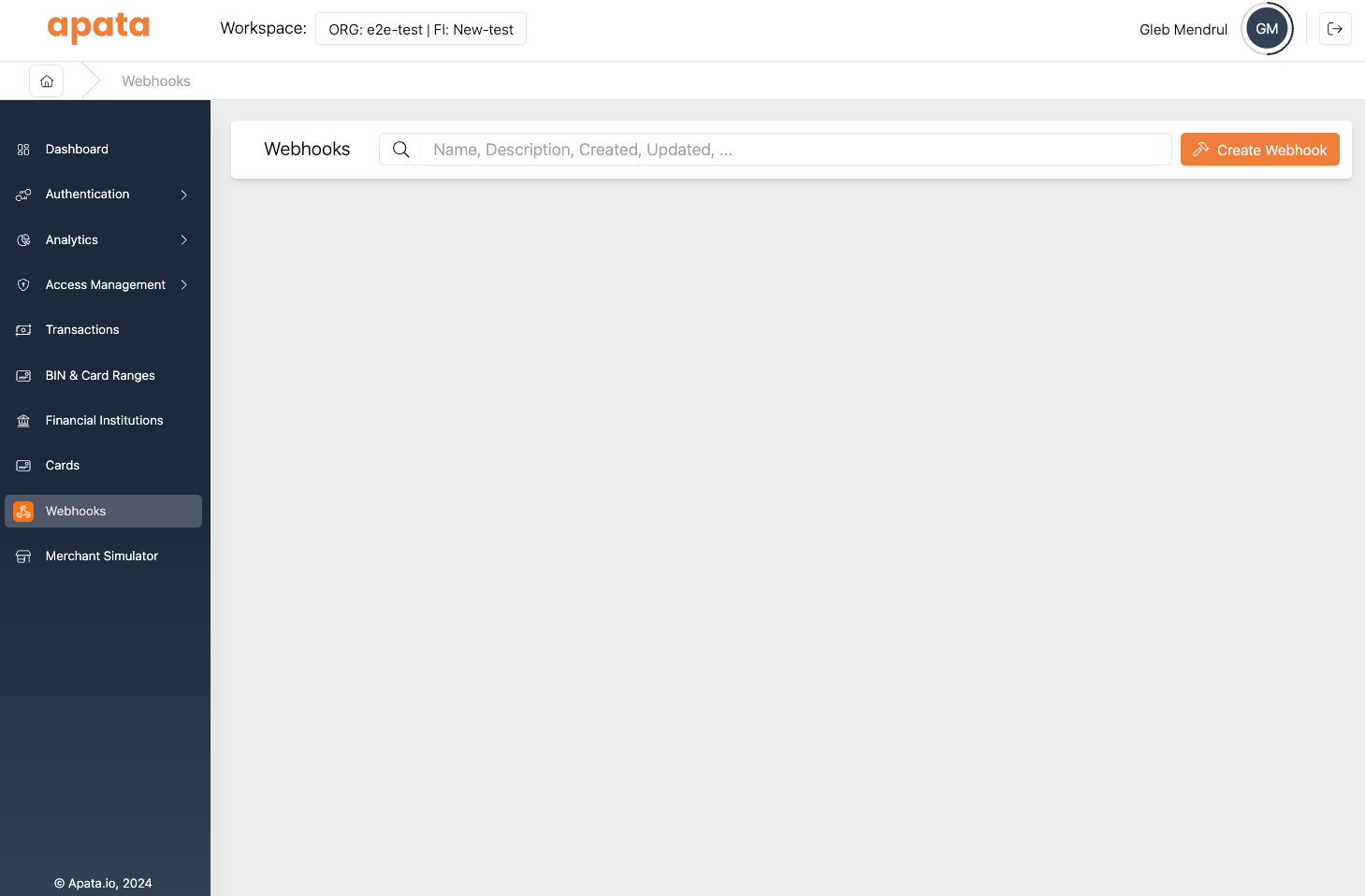
Step 3: Click Create Webhook

Step 4: Complete the Form
Fill in the webhook details:
- Name: e.g. "OOB Webhook" or "OTP Delegate Webhook"
- Description: Optional description
- Enabled: Enabled by default
- URL: Full endpoint URL
- Timeout: Default 10 seconds
- Attempts: Default 3 attempts
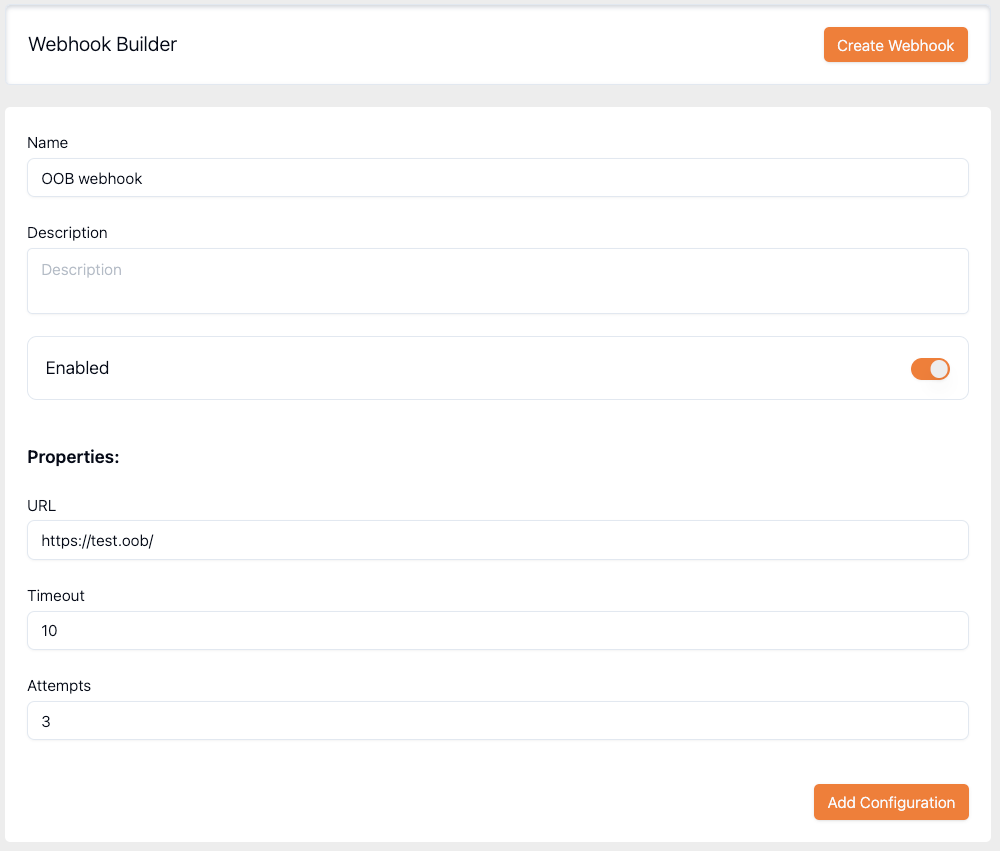
Step 5: Create
Click Create Webhook. The Owner ID will reflect the Financial Institution ID.
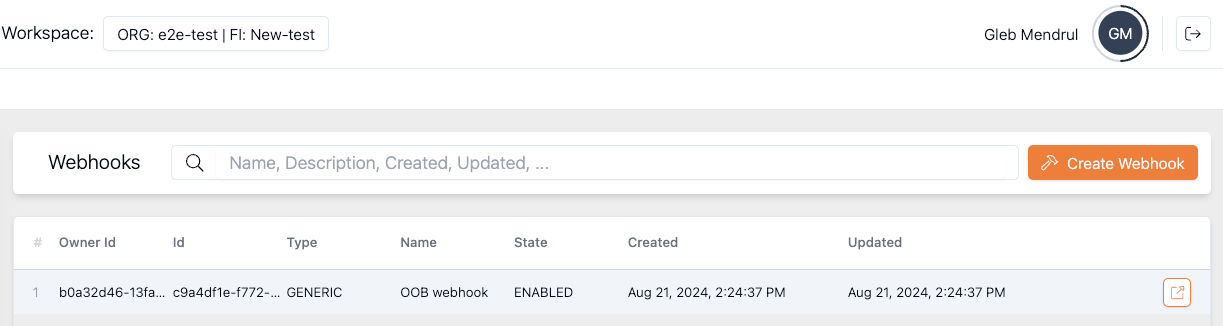
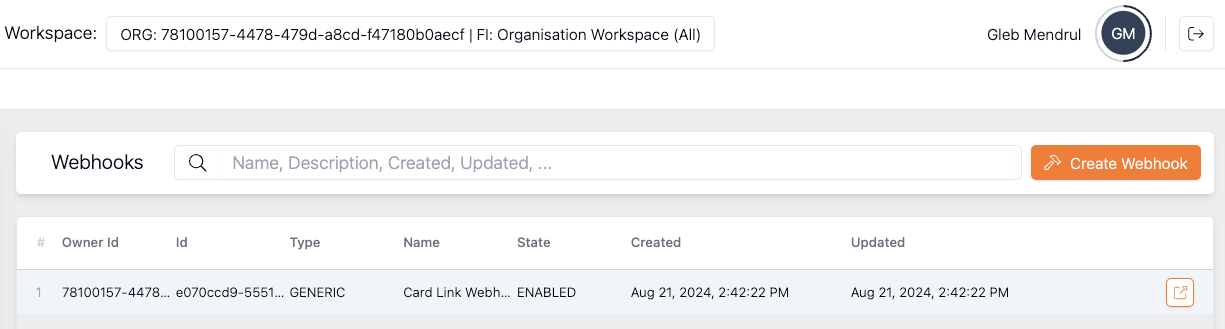
Step 1: Select Organisation Workspace
Select Organisation Workspace (All) in the workspace switcher.

Step 2: Navigate to Webhooks
Go to the Webhooks page in the left menu.
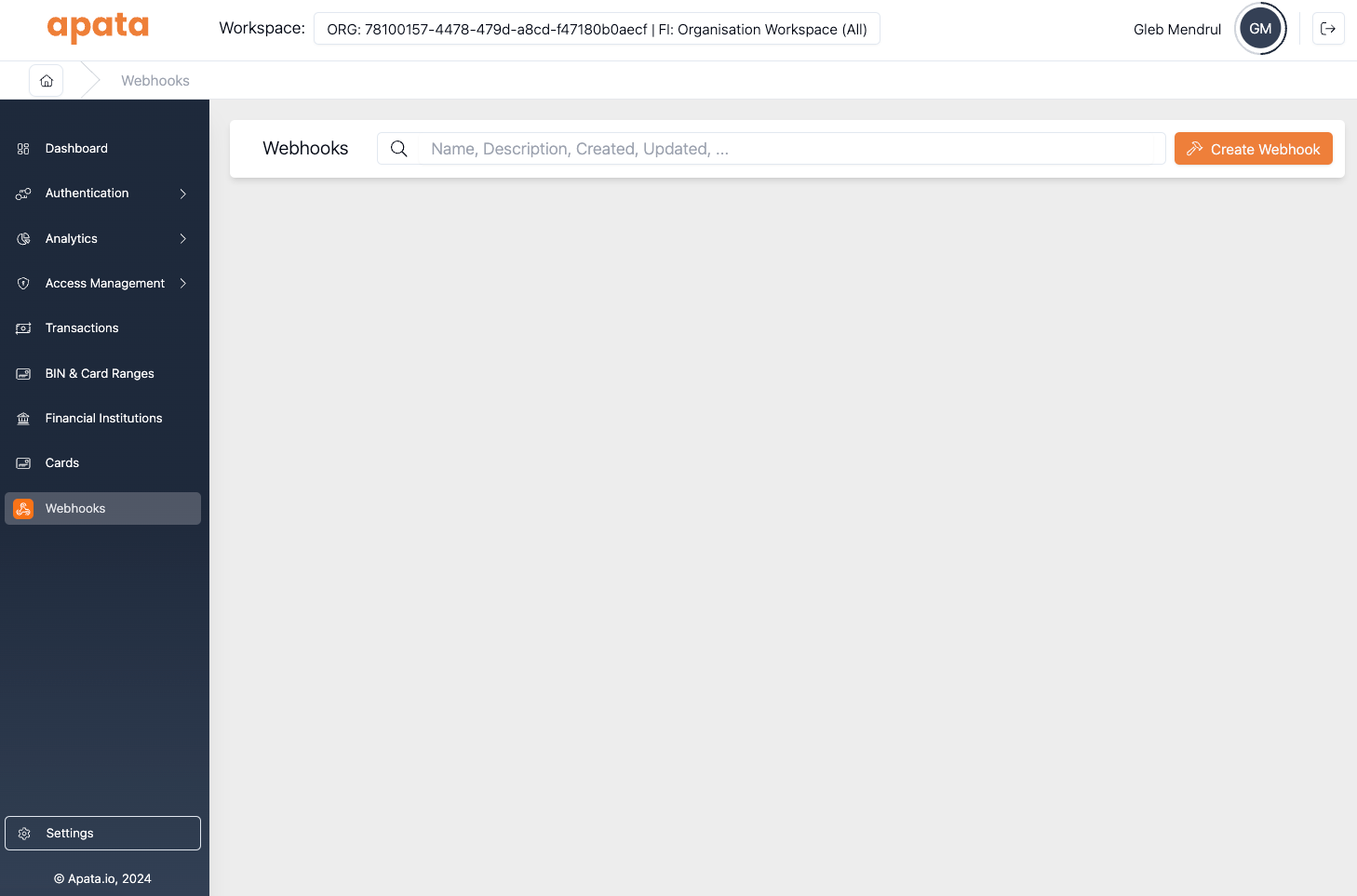
Step 3: Click Create Webhook
Step 4: Complete the Form
Fill in the webhook details plus FI access settings:
- Name: e.g. "OOB Webhook" or "OTP Delegate Webhook"
- Description: Optional description
- Enabled: Enabled by default
- URL: Full endpoint URL
- Timeout: Default 10 seconds
- Attempts: Default 3 attempts
- Financial Institutions Access: Choose which FIs can use this webhook
FI Access Options
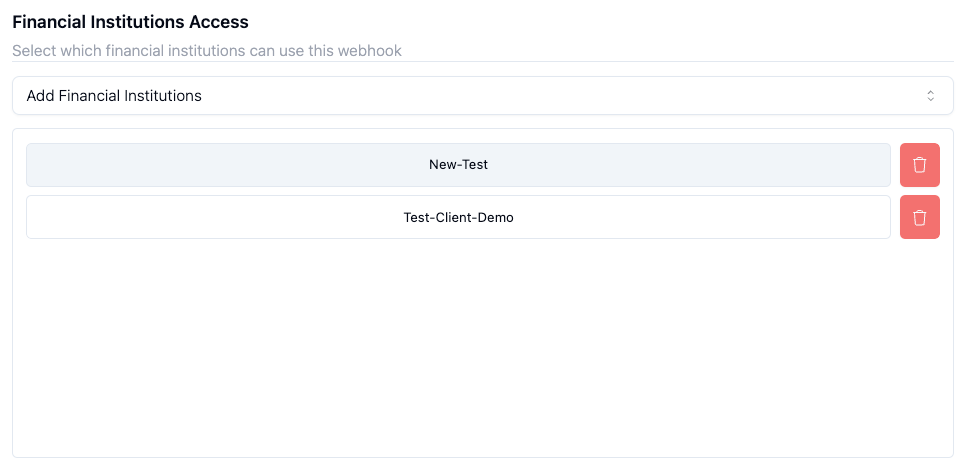
Option 1: Specific Financial Institutions
Select specific FIs that will have access to this webhook.
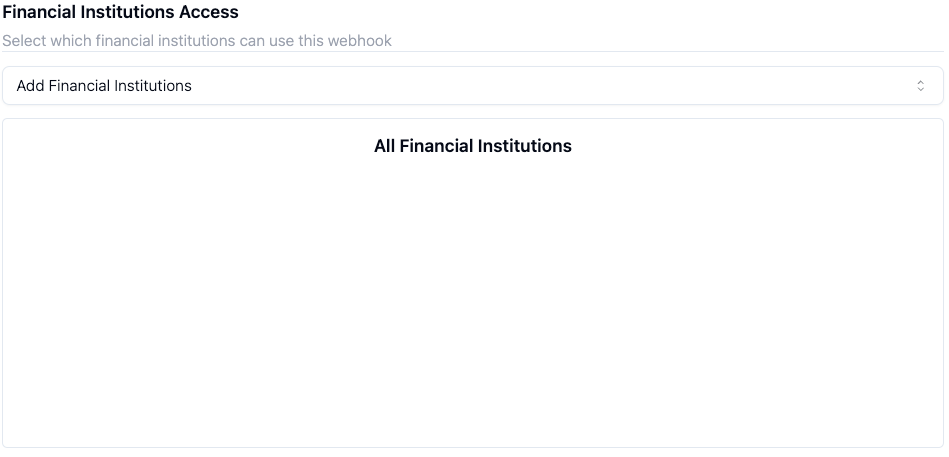
Option 2: All Financial Institutions
Allow all FIs to use the webhook, including future FIs.
Step 5: Create
Click Create Webhook. The Owner ID will reflect the Organisation ID.
Using Webhooks
Once created, webhooks can be assigned to:
| Feature | Description |
|---|---|
| Card Link | Fetch card details from external issuer systems |
| OOB | Out-of-band authentication via banking app |
| Delegate Send | Delegate OTP delivery to issuer's messaging system |
| Delegate Verify | Delegate OTP verification to issuer's system |
| Finalised Event | Receive transaction outcome notifications |
Related Topics
- Webhook – HTTP connection for real-time data exchange
- mTLS – Secure webhook connections with mutual TLS
- Finalised Event – Transaction outcome notifications
- Card Link – Real-time card detail retrieval
Updated 7 months ago