
SMS OTP
The SMS OTP challenge method represents the possession factor in SCA. When enabled, cardholders receive a 6-digit one-time passcode via SMS that they must enter to authenticate.
Possession Factor
Proves the cardholder has access to their registered phone.
Twilio Integration
Default delivery via Twilio with alphanumeric sender ID support.
Delegate Options
Optionally delegate sending and verification to your own systems.
Configuration
Basic Settings
| Field | Description |
|---|---|
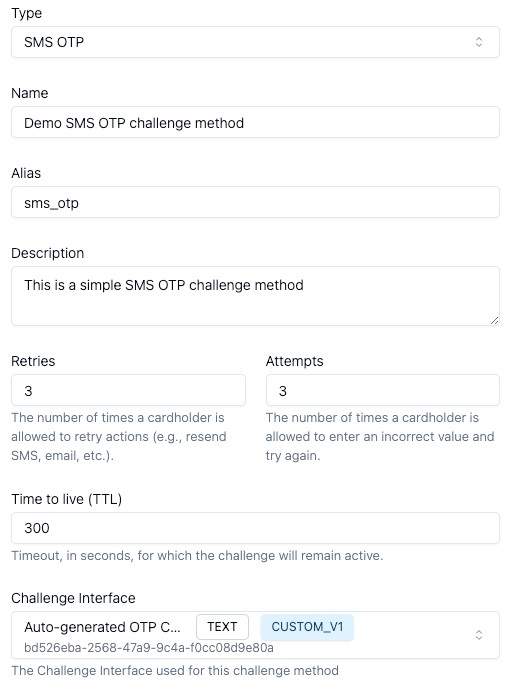
| Name | User-friendly identifier |
| Alias | Unique identifier (alphanumeric, dashes, underscores). Cannot be changed after creation. |
| Description | Optional details about the method |
Attempt & Retry Settings
| Field | Default | Description |
|---|---|---|
| Retries | 3 | Max times cardholder can request a new OTP |
| Attempts | 3 | Max incorrect entries before failure |
| TTL | 300s | Time limit to complete challenge (5 minutes) |
Authentication Method
| Field | Description |
|---|---|
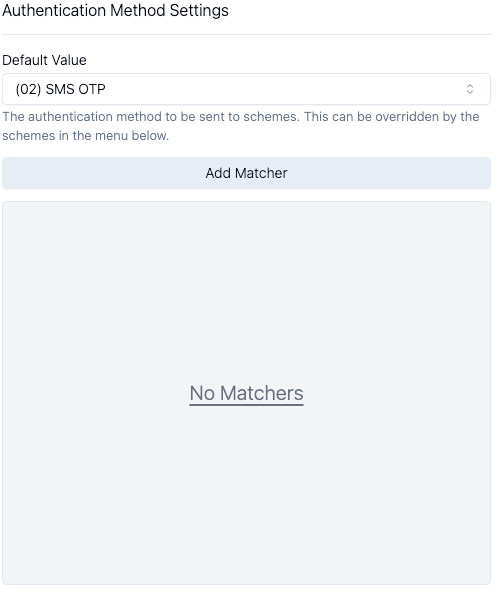
| Default Value | (02) SMS OTP - reported to payment schemes |
| Matchers | Override auth method value based on Protocol Version |
SMS Settings
| Field | Description |
|---|---|
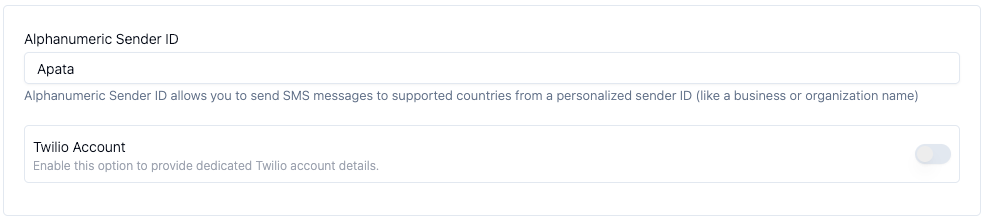
| Alphanumeric Sender ID | Custom sender name (e.g., "YourBank") instead of phone number |
| Twilio Account | Optional dedicated Twilio account for SMS delivery |
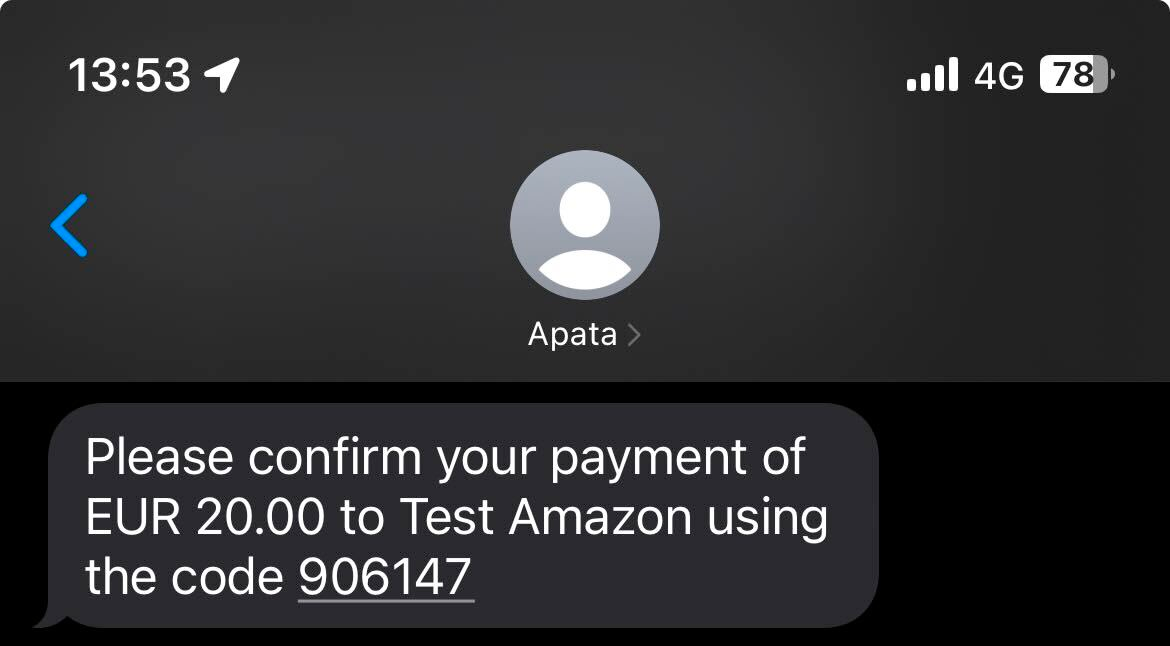
| Custom SMS Text | Customise message template with placeholders: {{currency}}, {{amount}}, {{merchant}}, {{passcode}} |
| Include Reference | Include unique reference ID alongside OTP for poor coverage areas |
Some countries require pre-registration of alphanumeric sender IDs. See Twilio documentation.
Delegate Options
| Option | Description |
|---|---|
| Delegate Send | Apata sends OTP to your Webhook; you deliver to cardholder |
| Delegate Verify | Apata sends entered OTP to your webhook for verification |
| Delegate Cancel | Receive notification when cardholder cancels challenge |
Delegate options require a Webhook to be configured first.
Benefits of delegation:
- No need to share cardholder phone numbers with Apata
- Use your existing SMS infrastructure
- Full control over OTP delivery and verification
Additional Options
| Option | Description |
|---|---|
| Show Info Screen When Missing Details | Display informational screen if phone number is missing |
| Challenge Interface | Select or customise the UI via Challenge Interface Builder |
When multiple phone numbers are associated with a card, Apata sends SMS to all registered numbers to maximise delivery success.
Setup: Standard SMS OTP
- Ensure Financial Institution is selected in workspace

- Click Create Challenge Method

- Configure basic settings
- Set authentication method (recommended:
(02) SMS OTP)
- Configure sender ID
- Click Create Challenge Method
Result: Cardholder receives SMS from your branded sender ID:
Setup: Delegate SMS OTP
Use this configuration when you want to send OTPs through your own SMS infrastructure.
Prerequisites
- Webhook configured (see Webhooks Guide)
- Financial Institution selected in workspace
Configuration Steps
-
Click Create Challenge Method
-
Configure basic settings and authentication method
-
Enable Delegate Send

- Select your webhook
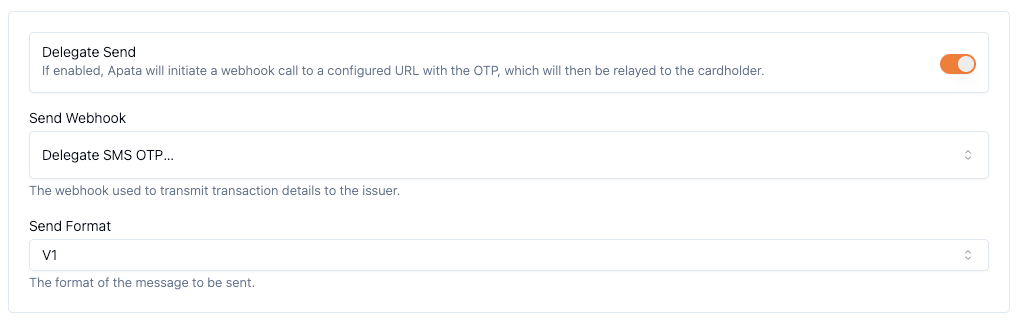
- Choose format
V2(recommended)
API References
| Webhook | Description |
|---|---|
| Delegate Send | Receive OTP for delivery |
| Delegate Verify | Verify cardholder-entered OTP |
| Delegate Cancel | Cardholder cancelled notification |
Related Topics
- Challenge Profile – Combine SMS OTP with other methods
- Challenge Interface – Customise the OTP entry screen
- Webhook – Configure delegate endpoints
- SCA – Strong Customer Authentication requirements
Updated 7 months ago
Did this page help you?